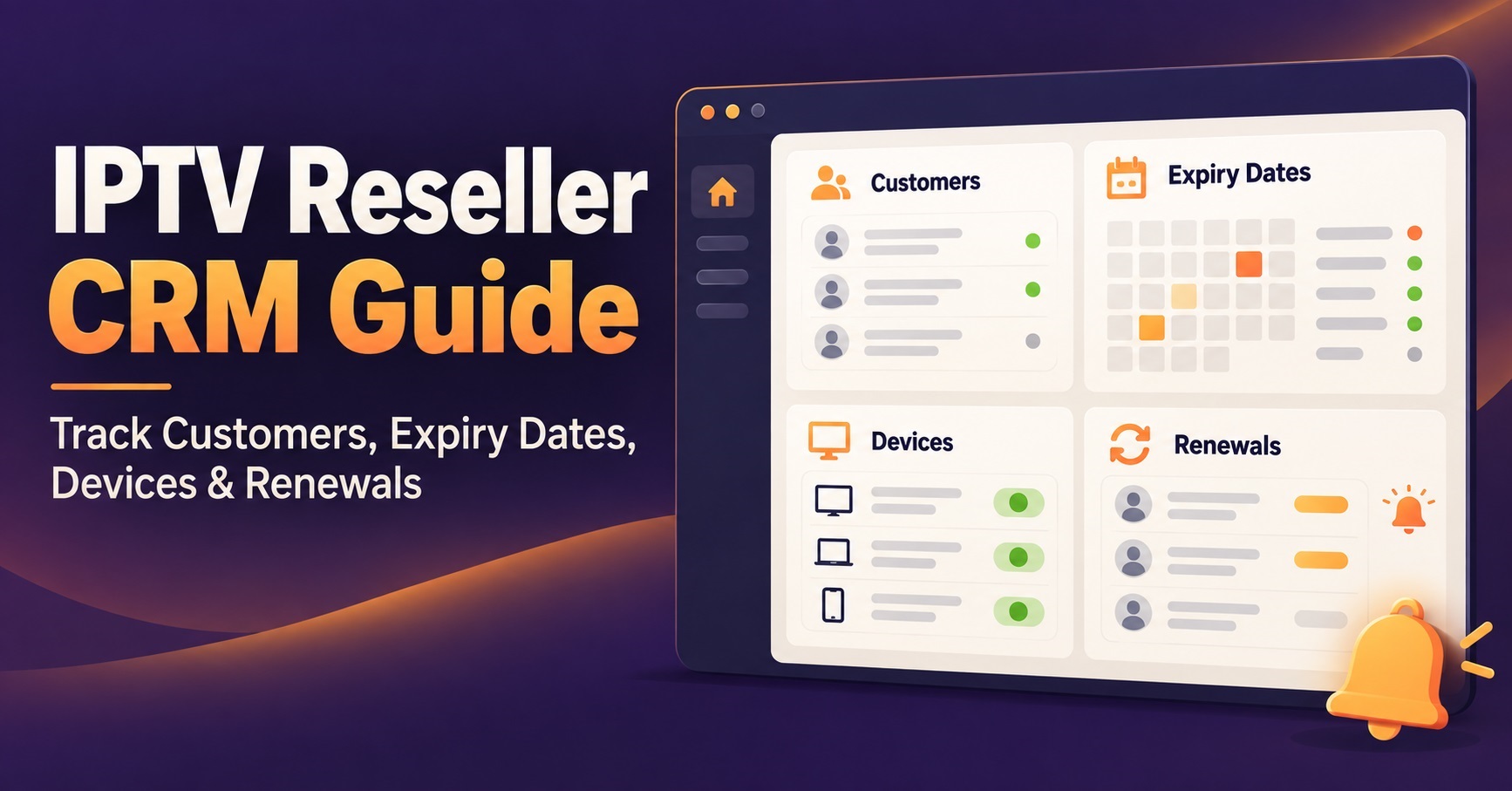
This IPTV Reseller CRM Guide starts with the short answer: your customer system needs to hold six pieces of information reliably, and your IPTV reseller panel holds only two of them well. The panel knows the line credentials and the expiry date. It does not know who paid you, how much they paid, which device they use, what went wrong last month, or when you last spoke to them. Everything you actually run the business on sits in that gap, which is why resellers who grow past roughly twenty or thirty subscribers start losing renewals they never realised were due.
The Six Records That Keep a Reseller Business Standing Up
A customer relationship management system for reselling does not need to be sophisticated. It needs to be complete. Six fields carry almost all of the operational weight.
Contact identity comes first: a name, one reliable contact channel, and the date they first bought from you. Most resellers work through messaging apps, which feels efficient until a phone number changes and the entire relationship vanishes with it.
Second is the line reference. This is the username or line ID as it appears inside your panel, stored next to the customer’s name. Without it, every support request begins with you searching the panel by guesswork.
Third, the expiry date, written in a format you can sort by. This is the single field that generates revenue, because a subscription that lapses quietly is usually a subscription that does not come back.
Fourth, payment history. What they paid, when, and through which method. You need this for margin calculations and for the awkward conversations where someone insists they already renewed.
Fifth, device and setup notes. The player app they use, the device model, whether they needed help getting it working. A one line note here saves you twenty minutes the next time they message.
Sixth, support history. Even a date and a six word summary is enough to spot the customer who has reported the same fault four times and is about to leave.
Why Renewals Fail Before Anything Else Does
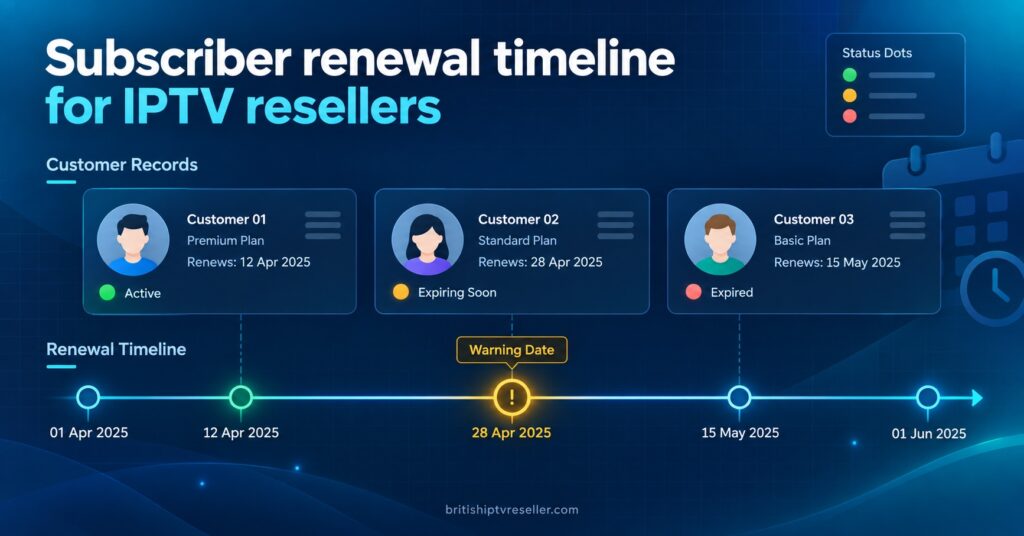
Renewal tracking is the first thing to break, and it breaks silently. Nothing errors. No alert fires. A line simply stops working, the subscriber assumes the service has degraded, and they buy from someone else before you notice.
The mechanics of this are worth understanding. Panels typically show expiry as a date in a list, sorted by creation order rather than urgency. If you have fifteen customers you can scan that list. At sixty, scanning becomes a chore you skip on busy days. At a hundred and fifty, you are no longer scanning at all, you are reacting to complaints.
The fix is not a better panel. It is a separate view of your own data, sorted by expiry ascending, that you look at on a fixed day each week. Whether that view lives in a spreadsheet or a proper CRM matters far less than whether it exists and gets opened.
Pro tip: Set your renewal reminder window to seven days before expiry rather than one or two. A subscriber who has already been messaged and ignored you still has time to reply before the line dies, which turns a lost customer into a late one.
Spreadsheet or Software: Reading the Signals in Your Own Workload
There is no subscriber count at which a spreadsheet officially stops working. There are only symptoms, and they show up in how your week feels rather than in any number.
| Signal in your working week | What it usually indicates | Sensible next move |
|---|---|---|
| You search messages to find a customer’s line details | Records are scattered across channels, not stored | Consolidate into one sheet with a line reference column |
| You discover expiries after the customer complains | No sorted renewal view exists | Build a date-sorted view and check it weekly |
| Two people on your team edit the same file | Version conflicts are coming | Move to a shared cloud tool with edit history |
| You cannot say which customers left last quarter | No status field or churn record | Add a status column before adding anything else |
| Renewal reminders are sent manually one by one | Time cost is now larger than tool cost | Consider CRM software with scheduled reminders |
A well-built spreadsheet handles a surprising amount. Named columns, a sortable expiry field, conditional formatting on dates approaching, and a status column covering active, expired, trial and lost will carry a single operator a long way. What spreadsheets do badly is concurrent editing, automated reminders, and any kind of audit trail showing who changed what.
Once two or more people touch customer records, or once reminder sending eats more than an hour a week, dedicated software starts to pay for itself. Lightweight CRM tools and even project boards adapted with custom fields both work. The tool is less important than committing to one and not keeping a shadow copy somewhere else.
IPTV Reseller CRM Guide: Building the System Step by Step
Start with export, not with software selection. Whatever you choose later, you will need clean data first.
Pull your current customer list out of the panel. Most reseller dashboards allow a line export, and even where they do not, the line list can be copied manually. This gives you usernames and expiry dates, which is your skeleton.
Match each line to a real person. This is the tedious step and there is no shortcut. Work through your message history and attach a name and contact detail to every line reference. Any line you cannot match is either a test account or a customer you have already lost track of, and both are worth knowing about.
Add payment and start date columns. Fill in what you can from memory and payment records, then accept that older entries will be incomplete. Historic gaps are tolerable. Future gaps are not.
Create the renewal view. Sort by expiry ascending and filter to the next fourteen days. This is the view you open first every time you sit down to work.
Set a fixed review slot. Once a week, same day, ten minutes. Check the renewal view, send reminders, update statuses. Consistency here beats any feature in any software.
Record support contacts as they happen, not later. A short note written the same day is accurate. A note written from memory on Sunday is fiction.
If you are still deciding how to price the subscriptions those records will track, the thinking behind margin planning forIPTV reseller subscriptions belongs alongside your customer data rather than separate from it.
Keeping Your Records and the Panel Telling the Same Story
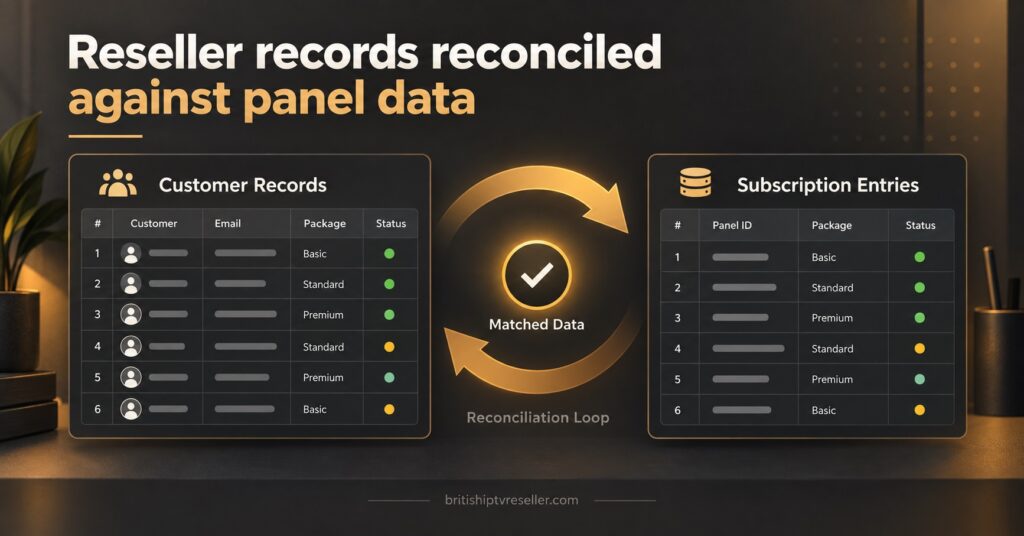
Two systems holding related data will drift apart. Your CRM says a customer renewed for three months. The panel says the line expires next week. One of them is wrong, and the customer will be the one who finds out.
Drift usually creeps in through three routes. Manual renewals performed in the panel without updating your records. Credits spent on trial lines that never get logged anywhere. Customers who upgrade or extend mid-cycle, changing the expiry date without changing anything you wrote down.
A monthly reconciliation catches nearly all of it. Export the current line list from the panel, place it beside your customer records, and check three things: every active line has a named owner, every named customer has a live line, and the expiry dates match. Mismatches point to either a forgotten update or a credit that was spent without a paying customer attached to it. Understanding how credits convert into subscription lines makes that second category much easier to spot.
Pro tip: Keep a separate tab or tag for trial lines and give them a hard review date. Untracked trials are the most common reason resellers cannot explain where their credits went.
Support History Is the Record Most Resellers Skip
Logging support conversations feels like overhead when a message thread already exists. The value only becomes obvious in retrospect.
Patterns are the point. Three subscribers reporting the same fault in the same week suggests infrastructure rather than user error, and that is a conversation to escalate to your provider with evidence rather than a vague complaint. One subscriber reporting faults every month is a churn risk you can intervene with before they leave quietly.
There is a commercial angle too. A customer with a clean support record and eighteen months of renewals is worth a different level of flexibility than one who has been late four times and argued about every charge. Without written history, you treat everyone identically, which usually means treating your best customers no better than your worst.
Handling Subscriber Data Responsibly
Customer records are personal data, and in the UK that carries obligations under the Data Protection Act 2018 and UK GDPR regardless of how small the operation is. Businesses processing personal data generally need to pay a data protection fee to the Information Commissioner’s Office unless an exemption applies, and the fee tiers are published on the ICO website, so check the current figures directly rather than relying on second-hand numbers.
Practically, three habits cover most of it. Collect only what you need, which for reselling means contact details and subscription information rather than anything sensitive. Store records somewhere access-controlled rather than in an open shared folder. Delete data for customers who have left once you no longer have a legitimate reason to hold it.
Payment details deserve particular care. Card numbers should never sit in your CRM. Reference a payment processor’s transaction ID instead and let the processor hold the sensitive parts.
Where a CRM Genuinely Will Not Help
A customer database is a memory aid, not a business model. It will not compensate for unstable infrastructure, because organised records of unhappy customers are still records of unhappy customers.
It will not fix pricing that leaves no margin. It will not answer support messages for you. And it will not survive inconsistent use: a half-updated CRM is arguably worse than none, because you start trusting data that is quietly wrong.
There is also a real risk of over-engineering. Resellers sometimes spend a fortnight configuring automation for forty customers, time that would have generated more return spent on acquisition. Match the system to the size of the operation, then upgrade when the operation outgrows it. If you are still early enough that the panel workflow itself is unfamiliar, the practical walkthrough of running a reseller dashboard is the more useful starting point.
Frequently Asked Questions
Do I need dedicated CRM software or is a spreadsheet enough?
For a single operator with fewer than around fifty subscribers, a properly structured spreadsheet with a sortable expiry column handles the job. Dedicated software becomes worthwhile when more than one person edits the records, or when manual reminder sending starts consuming meaningful time each week.
How far in advance should I contact customers about renewals?
Around seven days before expiry works well for monthly subscriptions, with a shorter follow-up two days out for anyone who has not replied. Longer subscription terms can take a fortnight of notice, since the payment involved is larger and needs more thought.
Should I store subscriber login credentials in my CRM?
Store the line reference or username so you can locate the account in your panel, but there is no operational reason to keep passwords in your customer records. Retrieve or reset those from the panel when needed.
What should I do about customers who disappear without cancelling?
Mark them as lapsed rather than deleting the record, and keep the entry for a defined period so you can recognise them if they return. Set a retention limit so old data does not accumulate indefinitely.
How do I track sub-resellers separately from direct subscribers?
Use a distinct account type field rather than a separate file. Sub-resellers need different information recorded, particularly credit allocation and how many end users sit beneath them, but keeping everything in one system means your totals still reconcile against the panel.
Can I automate reminders without a paid CRM?
Calendar reminders driven by your expiry column cover most of the need at zero cost. The message still gets sent manually, which is fine at small scale and arguably better, since personal messages get replies that bulk sends do not.
Closing Thoughts
The useful conclusion from any IPTV Reseller Panel CRM Guide is that the system matters less than the discipline behind it. Six fields, one sorted renewal view, a weekly ten minute review and a monthly reconciliation against your panel will outperform expensive software used inconsistently. Start with an export of your current lines, match them to real people this week, and only consider dedicated tools once the manual routine has proved it saves you money. Records that are slightly rough but genuinely current beat an elegant database nobody updates.
Reseller Record-Keeping Checklist
- Export the current line list from your panel and save it dated
- Attach a name and contact channel to every active line reference
- Add a sortable expiry date column and set it as your default sort
- Create a status field covering active, trial, expired and lapsed
- Log payment amount and date for every transaction going forward
- Note the device and player app each subscriber uses
- Record support contacts on the day they happen, in one line
- Book a fixed weekly slot to review upcoming expiries
- Reconcile your records against the panel line list monthly
- Flag trial lines separately with a hard review date
- Keep payment card details out of your records entirely
- Check the current ICO data protection fee position for your business