Nobody tells you this when you start reselling, but the player your subscribers use matters more than the panel you sell from. You can have the cleanest backend, the fattest server uplinks, the most competitive credit pricing, and still lose customers because they’re staring at a buffering wheel on a badly configured app. That app, nine times out of ten, is the IPTV Smarters Application. And the gap between operators who understand it deeply and those who just hand out a login URL is exactly where churn lives.
This isn’t a walkthrough pulled from a help forum. This is what a decade of panel operations, failed migrations, and late-night server swaps teaches you about the one piece of software your subscribers actually touch.
What the App Actually Does Behind the Interface
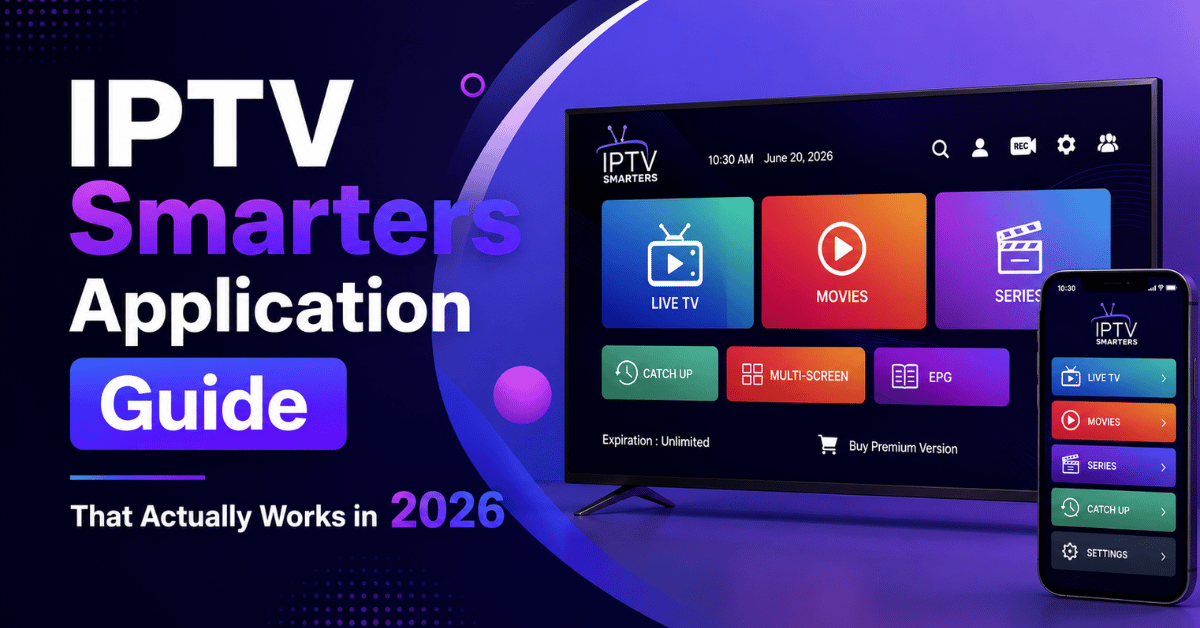
Most write-ups describe this as “a media player for IPTV.” That’s like calling a cockpit “a chair near some buttons.” The IPTV Smarters Application is a front-end client that communicates with your Xtream Codes API or M3U playlist to authenticate users, pull EPG data, parse channel categories, and render live, VOD, and series content inside a navigable interface.
When a subscriber enters their credentials, server URL, username, password, the app sends an API handshake to your panel. If authentication succeeds, the panel returns a session token and content manifest. The app then renders this manifest into the category structure your panel defines.
Understanding this chain matters because every single buffering complaint, failed login, or “channels not loading” ticket traces back to a break somewhere in this sequence. The IPTV Smarters Application itself is rarely the fault. It’s the messenger. But it takes the blame.
Pro Tip: Before troubleshooting any subscriber issue, ask them to screenshot the exact error inside the IPTV Smarters Application. Ninety percent of “it’s not working” tickets resolve faster when you can see whether the failure is at login, category load, or stream playback.
Installing the App Across Every Major Device
Here’s where IPTV reseller Panel lose subscribers before they’ve even watched a single channel. Installation confusion. The IPTV Smarters Application runs on Android, iOS, Windows, macOS, and most smart TV firmware, but the process isn’t identical across platforms, and the outdated versions floating around third-party APK sites create havoc.
On Android (phones, boxes, Fire Stick), download from the official source or sideload a verified APK, enable “Install from Unknown Sources” if sideloading, open the app and select “Login with Xtream Codes API,” then enter the server URL, username, and password exactly as issued from the panel.
On iOS, the app is available through the App Store under the Pro version, requires the same Xtream Codes credentials, and EPG loading may take longer on first launch due to Apple’s background data restrictions.
On Windows/macOS, use the desktop build or run it through an Android emulator. Desktop versions handle higher bitrate streams more reliably than mobile.
For Fire Stick specifically, the app performs best when you disable power-saving settings and force-stop competing background apps. A 2GB Fire Stick running three background processes will buffer on 8Mbps streams that play perfectly on a cleared device.
Why Xtream Codes API Login Beats M3U Every Time
The IPTV Smarters Application supports two login methods: Xtream Codes API and M3U URL. Beginners default to M3U because it looks simpler, paste one link, done. That’s a mistake, and here’s the operational reason.
M3U playlists are static text files. They load every channel URL at once, they don’t support real-time EPG syncing cleanly, and they’re harder to manage when your panel pushes updates. If you change a channel lineup or rotate a server address on your panel, M3U users keep hitting the old manifest until they manually reload.
Xtream Codes API connections, by contrast, query your panel dynamically. Every time a subscriber opens the IPTV Smarters Application with API credentials, it pulls the current channel list, current EPG, and current server path. Changes reflect instantly. No subscriber intervention needed.
The table below breaks down the practical differences:
| Feature | M3U playlist | Xtream Codes API |
|---|---|---|
| Live channel updates | Manual reload required | Automatic on launch |
| EPG accuracy | Often mismatched | Synced from panel |
| Subscriber management | No panel control | Full panel integration |
| Multi-server failover | Not supported | Supported via panel config |
| Ease of troubleshooting | Difficult | Straightforward |
For anyone running the IPTV Smarters Application at any scale beyond personal use, API login isn’t optional. It’s infrastructure.
EPG Configuration: What Actually Goes Wrong
Electronic Programme Guide failures cause more uninstalls than buffering. A subscriber turns on the app, sees blank programme listings, and assumes the service is broken. They don’t file a ticket. They just leave.
Inside the IPTV Smarters Application, EPG data pulls from your panel’s configured XMLTV source. If your panel’s EPG URL is stale, misconfigured, or pointing at a source that rate-limits requests, subscribers get either empty guides or guides mismatched to their channel lineup.
Three things break EPG more than anything else. Timezone mismatch between the panel EPG source and subscriber device is one, the app renders times based on the device’s local clock, so if your XMLTV feed uses UTC and the subscriber’s Fire Stick is set to GMT+5, every listing shifts. EPG source overload is another, free XMLTV providers throttle requests, and when 400 subscribers all open the app within a peak-hour window, the EPG source chokes. Channel ID mismatch rounds it out, your panel assigns internal IDs to channels while the EPG source uses its own IDs, and if these don’t map correctly, the guide data exists but attaches to the wrong channels.
Pro Tip: Set your panel to cache EPG data server-side and serve it to the IPTV Smarters Application from your own CDN or VPS. This eliminates third-party throttling entirely and gives subscribers instant guide loads.
Buffering Is Almost Never the App’s Fault
Let’s be direct. When a subscriber reports buffering on the IPTV Smarters Application, the instinct is to blame the app or tell them to “restart the app.” That’s a band-aid on an arterial bleed. Buffering traces to one of four infrastructure points, and none of them live inside the player.
Server uplink saturation is the first: your content server is pushing more concurrent streams than its bandwidth ceiling allows. This isn’t a subscriber problem. It’s a capacity planning failure on the IPTV provider or reseller side.
ISP-level throttling is the second. In 2026, AI-driven deep packet inspection has become standard among major UK and European ISPs. These systems identify HLS and MPEG-TS traffic patterns in real-time and deprioritise them. The IPTV Smarters Application streams arrive at the subscriber’s router already throttled.
DNS poisoning or redirect is the third. Some ISPs now intercept DNS queries for known streaming server domains and redirect them to block pages. The app shows a black screen or infinite loading, not a clear error.
Local network congestion is the fourth. A household running four devices on a 20Mbps connection while streaming a 12Mbps full HD channel through the IPTV Smarters Application is going to buffer. Maths doesn’t lie.
For uplink issues, ensure your provider maintains backup uplink servers and doesn’t oversell capacity. For ISP throttling, advise subscribers to use DNS-over-HTTPS or a reputable VPN. For DNS problems, switch to encrypted DNS resolvers inside the router config. And for local congestion, recommend QoS settings that prioritise streaming traffic on the subscriber’s router.
Advanced Settings Most Resellers Ignore
Out of the box, the IPTV Smarters Application works. But “works” and “works well” are different postcodes. Several buried settings dramatically affect stream stability and subscriber experience.
Player selection matters first. The app offers multiple internal player engines. The default handles most SD and 720p streams fine. For full HD and 4K content, switching to an external player engine like MX Player (on Android) reduces decoder failures on lower-end hardware.
Buffer size is worth adjusting too. Inside the settings, you can adjust buffer duration. Increasing the buffer from the default to 3 to 5 seconds adds a slight delay at channel switch but eliminates micro-buffering on unstable connections. For subscribers on mobile data or weak Wi-Fi, this single change resolves eighty percent of complaints.
Auto-start on boot rounds this out. For Android boxes and Fire Sticks deployed in households, enabling auto-start means the IPTV Smarters Application launches the moment the device powers on. This sounds minor. It isn’t. Every extra step between “press power” and “watching TV” is friction that pushes non-technical subscribers toward cancellation.
Pro Tip: Create a one-page PDF setup guide for your subscribers that includes recommended settings for the IPTV Smarters Application, buffer size, player type, and auto-start configuration. Send it with every new subscription activation. It cuts support tickets by a third.
Rebranding: When and Why Resellers Do It
At a certain subscriber count, handing out a generic app stops making business sense. Rebranding, or white-labelling, the IPTV Smarters Application means modifying the APK to display your brand name, logo, and colour scheme instead of the default Smarters branding.
This isn’t vanity. Branded apps reduce churn because subscribers perceive a branded experience as more professional and more “real.” It also makes word-of-mouth referrals easier, your customers tell friends about “YourBrand TV” rather than a generic app name nobody remembers.
The rebranding process involves decompiling the APK, replacing asset files (logos, splash screens, colour values), updating the app name in the manifest, and recompiling with a new signing key. It requires moderate technical skill or a white-label service provider.
What to watch for: rebranded APKs cannot be distributed through official app stores without a developer account, each Android update cycle may require re-patching the base APK, and iOS rebranding is significantly more complex and typically requires an enterprise certificate or TestFlight distribution.
The IPTV Smarters Application’s architecture makes it one of the easier players to rebrand, which is partly why it dominates the reseller ecosystem. But “easier” still means careful version management and testing across device types before pushing to subscribers.
How ISP Blocking Trends in 2026 Affect the App
This is the part of the conversation most guides avoid entirely. ISP enforcement has fundamentally shifted. Pre-2024, blocking was crude, domain-level DNS blocks that any custom DNS setting bypassed in seconds. In 2026, the landscape is different.
AI-powered traffic classification now operates at the packet level. ISPs deploy machine learning models trained on streaming protocol signatures. HLS segment requests, MPEG-TS packet patterns, and even the timing intervals of EPG data pulls from the IPTV Smarters Application can trigger automated throttling or flagging.
What this means operationally is that standard HTTP streams are more vulnerable than HTTPS-wrapped ones, providers using CDN-fronted delivery (routing through established content delivery networks) experience fewer blocks, and subscribers in regions with aggressive enforcement need encrypted transport layers between the server and the IPTV Smarters Application.
The countermeasures aren’t complicated, but they require infrastructure investment. Load balancing across multiple geographic server nodes, rotating delivery domains, and ensuring all streams use TLS encryption are baseline requirements now, not optional extras.
For resellers, the practical impact is straightforward: if your provider isn’t adapting to these enforcement trends, your subscribers on the IPTV Smarters Application will experience increasing disruption regardless of how well the app itself is configured.
Managing Subscriber Expectations
Churn in IPTV reselling isn’t primarily about price. It’s about expectation mismatch. A subscriber signs up expecting cable-quality reliability delivered through the IPTV Smarters Application and encounters the reality of internet-dependent streaming. That gap, between expectation and experience, is where cancellations happen.
Smart resellers manage this gap before it opens. During onboarding, explain that the app requires stable internet of at least 25Mbps for HD content and 50Mbps for 4K. Set realistic EPG expectations, since programme guides may not match traditional broadcaster accuracy one-to-one. Communicate maintenance windows, so when your provider schedules server maintenance, subscribers get notified before they open the app and see dead channels. And offer a testing period, letting subscribers trial the app on their specific device and connection before committing to a longer subscription.
The resellers who survive past year one are the ones who treat the IPTV Smarters Application not as a product they hand over, but as an experience they actively manage.
Pro Tip: Build a simple FAQ page on your reseller site addressing the five most common IPTV Smarters Application issues, login failures, EPG gaps, buffering, channel freezes, and app crashes. Link every new subscriber to it. Proactive education beats reactive support every time.
Scaling Beyond 500 Subscribers
Crossing the 500-subscriber mark changes everything. Below that threshold, you can handle support personally, manage one or two panel providers, and skate by on a single server cluster. Above it, every weakness in your operation multiplies.
At scale, the IPTV Smarters Application becomes your canary in the coal mine. It’s where problems surface first, because it’s where subscribers experience your service. Buffering reports spike? Your provider’s uplink is saturated. Login failures cluster at specific times? Your panel’s API endpoint is choking. EPG goes blank across the board? Your XMLTV source just died.
Scaling strategies that work include maintaining relationships with at least two panel providers, so if one goes down, you can migrate subscribers to the backup within the app by simply issuing new credentials. Monitor your panel’s API response time too, if authentication takes longer than two seconds, subscriber app experience degrades noticeably. And invest in a branded version of the IPTV Smarters Application with your support contact built in, since at scale you need subscribers reaching you, not searching generic forums.
The operators who treat the IPTV Smarters Application as a managed endpoint rather than a disposable download are the ones still running panels five years from now. Check out BritishReseller.com for infrastructure-grade reseller panels built for this kind of longevity.
Frequently Asked Questions
Can I use the IPTV Smarters Application on multiple devices with one subscription?
That depends entirely on your panel provider’s connection limit settings. Most reseller panels allow you to set one, two, or more simultaneous connections per subscription. The IPTV Smarters Application itself doesn’t enforce device limits, your panel does. If a subscriber tries to exceed the allowed connection count, the panel rejects the additional login attempt, and the app displays an authentication error.
What internet speed do I actually need for smooth playback?
For standard definition, 10Mbps is sufficient. For 720p and 1080p content, you need a stable 25Mbps minimum, and “stable” is the key word. A connection that spikes to 50Mbps but drops to 8Mbps intermittently will buffer more than a steady 20Mbps line. For 4K streams, 50Mbps stable is the baseline. Always test with a wired Ethernet connection before blaming the app.
Why does the app show “Authorization Failed” even with correct credentials?
This usually traces to one of three causes: the subscription has expired on the panel side, the panel’s API server is temporarily down, or the server URL format is incorrect. A common mistake is including a trailing slash in the server URL or omitting the port number. Double-check the exact format your panel requires, even one character difference causes authentication failure.
Is the IPTV Smarters Application safe to install on a Fire Stick?
Sideloading any APK carries inherent risk if the source isn’t verified. The application itself is widely used and well-established in the IPTV ecosystem. The risk lies in downloading modified APKs from unverified third-party sites that may contain bundled adware or telemetry. Always obtain the APK from your reseller’s official distribution link or a verified source.
How do I fix channels loading as a black screen?
A black screen with audio typically means the device’s hardware decoder can’t handle the stream’s codec. Switch to a software decoder or external player in the app’s settings. A black screen with no audio usually points to ISP-level blocking or a dead stream URL on the provider’s end. Test the same channel on a different network or with a VPN to isolate the cause.
Can I run the app without an internet connection?
No. The IPTV Smarters Application requires an active internet connection for everything, authentication, channel loading, EPG data, and stream playback. There is no offline mode because the content isn’t stored locally. Even VOD content streams in real-time rather than downloading. If internet drops mid-stream, playback stops immediately.
How often should I update the app?
Update whenever a new verified version is released by the developer, but always test the update on one device before pushing it to your entire subscriber base. Some updates change default settings or player engine behaviour. Resellers who auto-push untested updates have learned this lesson the hard way, an update that breaks playback on Fire Stick 4K while fixing it on Android boxes creates a support avalanche.
Does using a VPN slow down streams?
Any VPN adds latency because your traffic routes through an additional server. On a high-quality VPN with nearby servers, the speed reduction is typically 10 to 15%, which won’t affect playback on a strong connection. On a budget VPN or a distant server, the overhead can push a borderline connection below the buffering threshold. Choose a VPN provider with servers geographically close to your IPTV server location for minimal impact.
Your IPTV Smarters Application Success Checklist
- Configure every subscriber account with Xtream Codes API login, retire M3U distribution entirely
- Cache EPG data on your own server and point the app to your CDN-hosted XMLTV feed
- Create a branded setup guide covering buffer settings, player selection, and auto-start for every supported device
- Test every app update on at least three device types before distributing to subscribers
- Maintain two active panel provider relationships with pre-configured failover credentials
- Monitor your panel’s API response time weekly, anything above two seconds needs immediate attention
- Brief subscribers on minimum internet requirements and recommend wired connections during onboarding
- Build a subscriber-facing FAQ page addressing the five most common app issues
- Implement encrypted DNS and TLS-wrapped streams as standard to counter 2026 ISP enforcement tactics
- Review your UK IPTV Panel provider uplink capacity and backup server infrastructure quarterly, don’t wait for outage reports to discover overselling