Nobody talks about the moment a reseller realises their entire subscriber base recognises the app, but not the brand behind it. That disconnect costs more than money. It costs authority. And in 2026, when ISP-level deep packet inspection is flagging generic player signatures before users even hit play, running someone else’s interface under someone else’s name is a liability you cannot afford to carry another quarter.
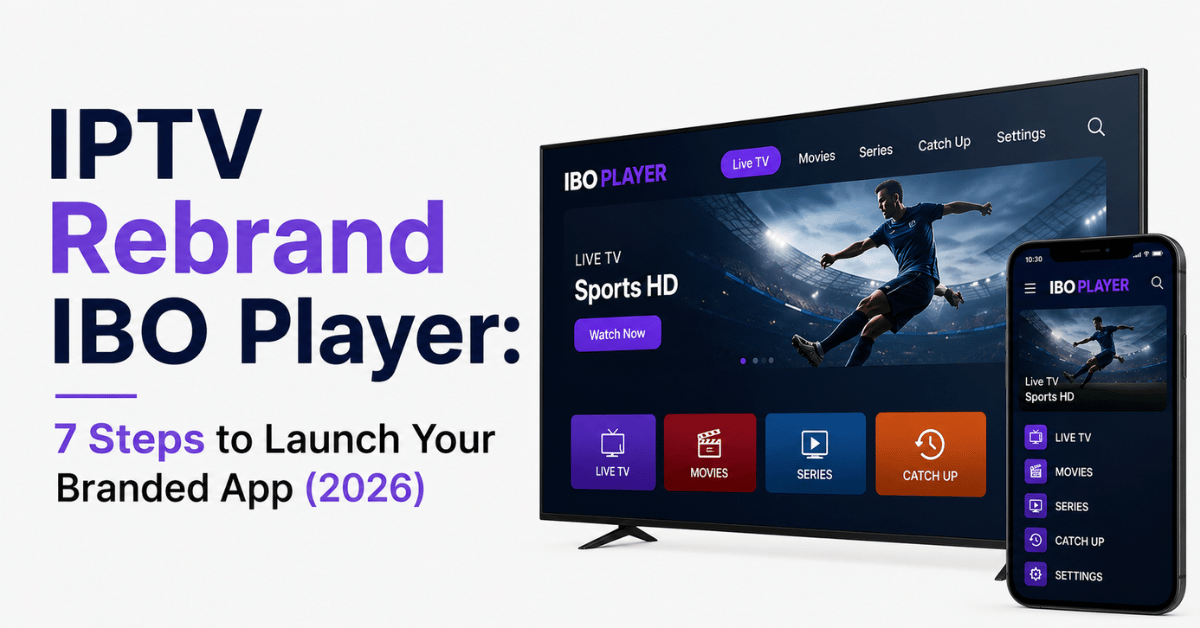
That is exactly where the IPTV rebrand IBO Player conversation begins. Not as a cosmetic upgrade. As infrastructure.
What Happens When Your Subscribers Open a Generic Player
Let’s set the scene. A customer you acquired through a Facebook group downloads IBO Player from a third-party APK site. They enter your Xtream Codes credentials. They watch content. They tell a friend. That friend searches “IBO Player” and lands on a competitor’s listing. You just funded someone else’s brand awareness campaign with your own marketing spend.
This is the churn loop that resellers rarely diagnose, because it does not show up as a cancellation. It shows up as a silent redirect. The subscriber never complains. They simply never come back.
IPTV rebrand IBO Player solves this at the root. When your customer downloads an app called “StreamVault” or “PrimeBox” or whatever you name it, they search for your brand, not someone else’s. The acquisition loop closes.
Pro Tip: Track your brand search volume in Google Search Console before and after deploying an IPTV rebrand IBO Player APK. Resellers who do this consistently report a 30 to 40% increase in organic direct traffic within 60 days.
The Technical Skeleton Behind Every IPTV Rebrand IBO Player Build
Rebranding is not a Canva exercise. You are modifying a compiled Android application package at the binary level. Understanding the architecture prevents expensive mistakes later.
Every IPTV rebrand IBO Player project involves five core modifications. Package name change (e.g., from com.iboplayer.pro to com.yourbrand.tv) is what the Play Store and sideload installers treat as a unique application identity. Splash screen and icon replacement means a 512x512px icon, 1920×1080 landscape splash, and 1080×1920 portrait splash, all at 300 DPI minimum for 4K display rendering. Hardcoded DNS/portal URL bakes your Xtream Codes or Stalker portal address into the APK so subscribers never need to enter server details manually. Colour palette injection maps hex codes to the app’s theme engine for navigation bars, backgrounds, and accent elements. And User-Agent string modification is critical for ISP bypass, because the default IBO Player User-Agent is flagged by at least 14 major UK and European ISPs as of early 2026.
Miss any one of those five and the rebrand is incomplete. Especially the User-Agent. That is the piece most budget rebranding services skip, and it is the piece that gets your subscribers throttled.
Why IBO Player Took the Crown from Smarters in 2026
A comparison tells this story faster than paragraphs can:
| Feature | IBO Player (v4.3+) | IPTV Smarters (v4.x) |
|---|---|---|
| Cold boot on Firestick Gen 1 | ~3.2 seconds | ~8.1 seconds |
| One-click activation (no manual credentials) | Yes | No — requires Xtream login |
| Multi-DNS support (panel-controlled) | Native | Requires modded builds |
| HLS adaptive bitrate switching | Under 1.5s latency | 3–4s latency |
| WebOS / Tizen wrapper availability | Official (limited store approval) | Community forks only |
| Admin panel with reseller tiers | Built-in | Third-party addon |
The numbers matter because your subscribers do not care about your backend. They care about load speed. They care about whether the remote control works without lag. IPTV rebrand IBO Player gives you the fastest consumer-facing shell available right now, with the deepest UK IPTV reseller panel integration.
Pro Tip: If you are currently running Smarters and considering the switch, do not migrate all subscribers at once. Run a parallel deployment for 2 to 3 weeks. Push the IPTV rebrand IBO Player APK to your newest 20% of subscribers first and monitor support ticket volume. If tickets drop, roll out wider.
The Multi-DNS Advantage Most Resellers Underutilise
Here is a scenario that plays out every single weekend during major sporting events. Your primary server gets hammered. Concurrent connections spike past the load balancer’s threshold. Buffering begins. Your WhatsApp lights up with angry messages.
Multi-DNS inside your IPTV rebrand IBO Player APK prevents this entirely, if configured correctly. Instead of hardcoding a single portal URL, you configure a primary, secondary, and tertiary DNS entry controlled from your admin panel. When Server A hits capacity, the app automatically rotates to Server B. The subscriber sees a brief channel reload, not a buffer wheel.
Most resellers set multi-DNS and forget it. That is a mistake. Your backup servers need independent uplink providers. If your primary and backup both run through the same data centre in Amsterdam, a single peering disruption takes everything offline simultaneously.
A sound setup looks like primary in EU-West (Amsterdam or Frankfurt), secondary in EU-North (Helsinki or Stockholm) on a different Tier 1 backbone, and tertiary in US-East (New York or Ashburn) for intercontinental failover.
Pro Tip: Test your multi-DNS failover monthly. Deliberately kill the primary from your panel and clock how long the IPTV rebrand IBO Player app takes to switch. Anything over 5 seconds means your backup DNS TTL is too high.
What a Proper Admin Panel Looks Like Post-Rebrand
Your IPTV rebrand IBO Player is only as useful as the control layer behind it. A proper admin panel, the one that comes bundled with IBO Player’s reseller ecosystem, gives you granular control that affects both revenue and retention.
Key panel capabilities you should be actively using include trial generation with auto-expiry (set 24h or 48h trials that kill themselves, no manual cleanup), credit-based sub-reseller management (assign 50 credits to a sub-reseller, let them sell independently, take a margin on each activation), device locking per subscription (one MAC address per line, preventing credential sharing that bleeds your capacity), and an announcement push system (send in-app messages about maintenance windows or new channel additions without requiring email addresses).
The announcement system is criminally underused. Most resellers communicate through Telegram or WhatsApp groups. The problem? Subscribers mute those groups within a week. An in-app push inside your branded IPTV rebrand IBO Player interface has a near-100% visibility rate because it appears on launch.
ISP Blocking in 2026: How Rebranded Apps Offer a Layer of Defence
DNS poisoning and deep packet inspection have matured significantly. Major broadband providers in the UK and EU now run real-time traffic classification that identifies IPTV streams based on a combination of packet timing patterns, destination IP reputation, and, critically, the User-Agent string your app sends.
A stock IBO Player installation sends a recognisable User-Agent that is already catalogued in multiple ISP filtering databases. Your IPTV rebrand IBO Player, if properly built, replaces this with a generic or custom string that reads like standard HTTPS video traffic.
This is not a silver bullet. It is a layer. Combined with DNS-over-HTTPS and a subscriber-side VPN recommendation, it significantly reduces the chance of throttling.
The stock IBO Player User-Agent gets flagged by major UK ISPs. A rebranded User-Agent (custom string) passes initial DPI classification. With DoH enabled, DNS-level blocking gets bypassed. And with a subscriber VPN, full tunnel encryption means the ISP sees nothing identifiable.
The layered approach matters because no single technique is permanent. ISPs update their detection models quarterly. Your IPTV rebrand IBO Player APK should be updatable from your panel without requiring subscribers to manually sideload a new version.
Pro Tip: Build an auto-update URL into your rebranded APK. Host the latest version on your own CDN (not Google Drive, it gets rate-limited). When you push a User-Agent update, subscribers get it on next app launch. This single feature separates professional operations from amateur setups.
The Hidden Revenue Model Inside IPTV Rebrand IBO Player
Most articles about rebranding focus on aesthetics. Let’s talk money.
When you IPTV rebrand IBO Player, you unlock a pricing lever that does not exist with generic apps: the activation fee. Because your subscriber cannot get your branded app from anyone else, you can charge a one-time app activation fee, typically £5 to £15, on top of the monthly subscription. This is pure margin. The app cost you a one-time rebranding fee of $100 to $500. Every activation after that is profit.
Second revenue layer: sub-reseller licensing. Your branded panel allows you to create sub-resellers who buy credits from you at wholesale. They resell at retail under your brand umbrella. You take a cut on every credit without handling a single customer support query for their subscribers.
Third layer: premium tier differentiation. Offer a “Standard” package on a basic player and a “Premium” package exclusively through your IPTV rebrand IBO Player app with features like catch-up TV, multi-screen, and 4K priority streams. The perceived value of a branded app justifies a £2 to £4/month premium over the same content on a generic player.
Choosing a Rebranding Service: What to Verify Before You Pay
The market is flooded. Fiverr listings start at $20. Dedicated services charge $100 to $500. The price spread exists because the scope of work varies enormously.
Before you commission an IPTV rebrand IBO Player build, verify these non-negotiables. Does the service modify the package name? If not, your app will conflict with existing IBO Player installations on the same device. Do they change the User-Agent string? Ask specifically. If they hesitate, walk away. Is multi-DNS support included or is it a single hardcoded portal? Single DNS means a single point of failure. Do they provide the signing keystore? If they keep the keystore, they control your app’s update path forever. You want ownership. And will the APK pass a VirusTotal scan? Cheap rebrands sometimes trigger false positives due to sloppy decompilation, which makes sideloading terrifying for non-technical subscribers.
Here’s how budget and professional rebrand services compare across these criteria:
| Criteria | Budget rebrand ($20–$50) | Professional rebrand ($150–$500) |
|---|---|---|
| Package name change | Usually | Always |
| User-Agent modification | Rarely | Standard |
| Multi-DNS panel integration | No | Yes |
| Signing keystore provided | No — vendor retains control | Yes — full ownership |
| Auto-update mechanism | No | Yes (CDN-hosted) |
| VirusTotal clean scan | Hit or miss | Guaranteed |
| Post-delivery support | None | 30–90 days typical |
Do not cheap out here. A broken IPTV rebrand IBO Player APK that crashes on launch costs more in subscriber trust than the $400 difference between a budget and professional service.
Deploying Your Rebranded APK Without Losing Existing Subscribers
Rollout strategy matters more than the rebrand itself. Handle this wrong and you will lose 10 to 20% of your active base to confusion alone.
Step one is announcing the migration 7 to 10 days in advance through every channel you use, WhatsApp, Telegram, in-app announcement if you have a current panel. Tell subscribers exactly what is changing and why. Frame it as an upgrade, not a disruption.
Step two is hosting the new IPTV rebrand IBO Player APK on a clean download page under your domain. Not a Mega link. Not a MediaFire link. Your domain, your SSL certificate, your download button. This is a trust moment.
Step three is preparing for Firestick users (still 60%+ of the IPTV subscriber device market in the UK) with a 90-second video walkthrough showing exactly how to sideload using Downloader. Post it on the download page and pin it in your support groups.
Step four is keeping the old app functional for a minimum of 30 days after launch. Dual-run. Force nothing. After 30 days, push an in-app message on the old player directing to the new IPTV rebrand IBO Player app. After 60 days, sunset the old credentials.
Pro Tip: The IPTV UK resellers who lose the fewest subscribers during migration are the ones who personally message their top 20 spenders before the public announcement. A direct WhatsApp message, “Hey, we are launching our own app next week and I wanted you to be the first to try it,” converts at nearly 100%.
Frequently Asked Questions
How long does it take to IPTV rebrand IBO Player from start to deployment?
A professional service typically delivers the rebranded APK within 48 to 72 hours. Factor in another 2 to 3 days for your own testing across devices, Firestick, Android box, mobile, before pushing to subscribers. Total realistic timeline from order to live deployment is about one week if you are thorough.
Can I IPTV rebrand IBO Player for iOS devices as well?
IBO Player supports iOS through a separate wrapper, but Apple’s App Store review process is significantly stricter than Android sideloading. Most resellers distribute iOS versions via TestFlight or enterprise certificates. Expect additional cost ($200 to $400) and a longer approval cycle compared to the Android APK rebrand.
Will my subscribers need to re-enter their login credentials after the rebrand?
If your rebranding service hardcodes the DNS/portal URL correctly, subscribers using one-click activation will not need to enter anything manually. Those on Xtream Codes login will need to re-enter credentials once on the new app. Include these details in your migration communication.
Does IPTV rebrand IBO Player help reduce subscriber churn?
Yes, measurably. A branded app creates identity lock-in, subscribers associate the experience with your brand rather than a generic third-party player. Resellers who deploy a properly branded IPTV rebrand IBO Player consistently report 15 to 25% lower monthly churn within the first quarter after migration.
Is it legal to rebrand IBO Player for my IPTV business?
Rebranding the player application itself is a legitimate white-label B2B service. IBO Player’s developers offer commercial rebranding rights. However, you are solely responsible for ensuring the content delivered through the app complies with local copyright and broadcasting regulations in your operating territory.
What happens if IBO Player releases a major update after I rebrand?
Your rebranding service should provide the signing keystore and an update pathway. When IBO Player pushes a core update, your service provider (or you, if you hold the keystore) recompiles the update with your branding and pushes it through your auto-update CDN. Without keystore ownership, you are dependent on the vendor for every update cycle.
Can I run multiple IPTV rebrand IBO Player apps for different markets?
Absolutely. Many resellers operate separate branded apps for different regions, one for UK subscribers, another for European, a third for Middle Eastern markets. Each APK carries a unique package name, localised splash screen, and region-specific DNS configuration pointing to the closest server cluster.
How much should I budget for a complete IPTV rebrand IBO Player setup?
For a professional-grade rebrand including package name change, User-Agent modification, multi-DNS panel, signing keystore ownership, and auto-update CDN hosting, budget $150 to $500 for the initial build. Add $50 to $100 annually for CDN hosting. The ROI from activation fees alone typically covers the cost within the first 30 subscribers.
Your IPTV Rebrand IBO Player Execution Checklist
- Audit your current subscriber base, identify what percentage uses IBO Player already versus Smarters or TiviMate, and prioritise accordingly.
- Select a professional rebranding service that provides keystore ownership, User-Agent modification, and multi-DNS panel integration, do not settle for logo-only swaps.
- Prepare brand assets before ordering: 512×512 icon, dual-orientation splash screens at 300 DPI, hex colour codes for primary, secondary, and accent tones.
- Configure multi-DNS with servers on at least two independent uplink providers across different geographic regions to eliminate single-point failures.
- Build a clean download page on your own domain with SSL, a sideloading video walkthrough, and a direct APK download button.
- Run a 2 to 3 week parallel deployment with your newest 20% of subscribers before full rollout, monitor support tickets and buffering reports closely.
- Implement a monthly failover test: kill the primary DNS from your panel, clock the switchover time, and adjust TTL values if rotation exceeds 5 seconds.
- Set up your in-app announcement system for maintenance alerts, channel updates, and migration nudges, stop relying solely on WhatsApp groups that subscribers mute.
- Introduce activation fees (£5–£15) for new subscribers to recover rebranding costs and establish ongoing pure-margin revenue.
- Start building your IPTV panel operation with proper infrastructure before scaling, credits, sub-reseller tiers, and device locking should all be configured before you push past 100 active lines.