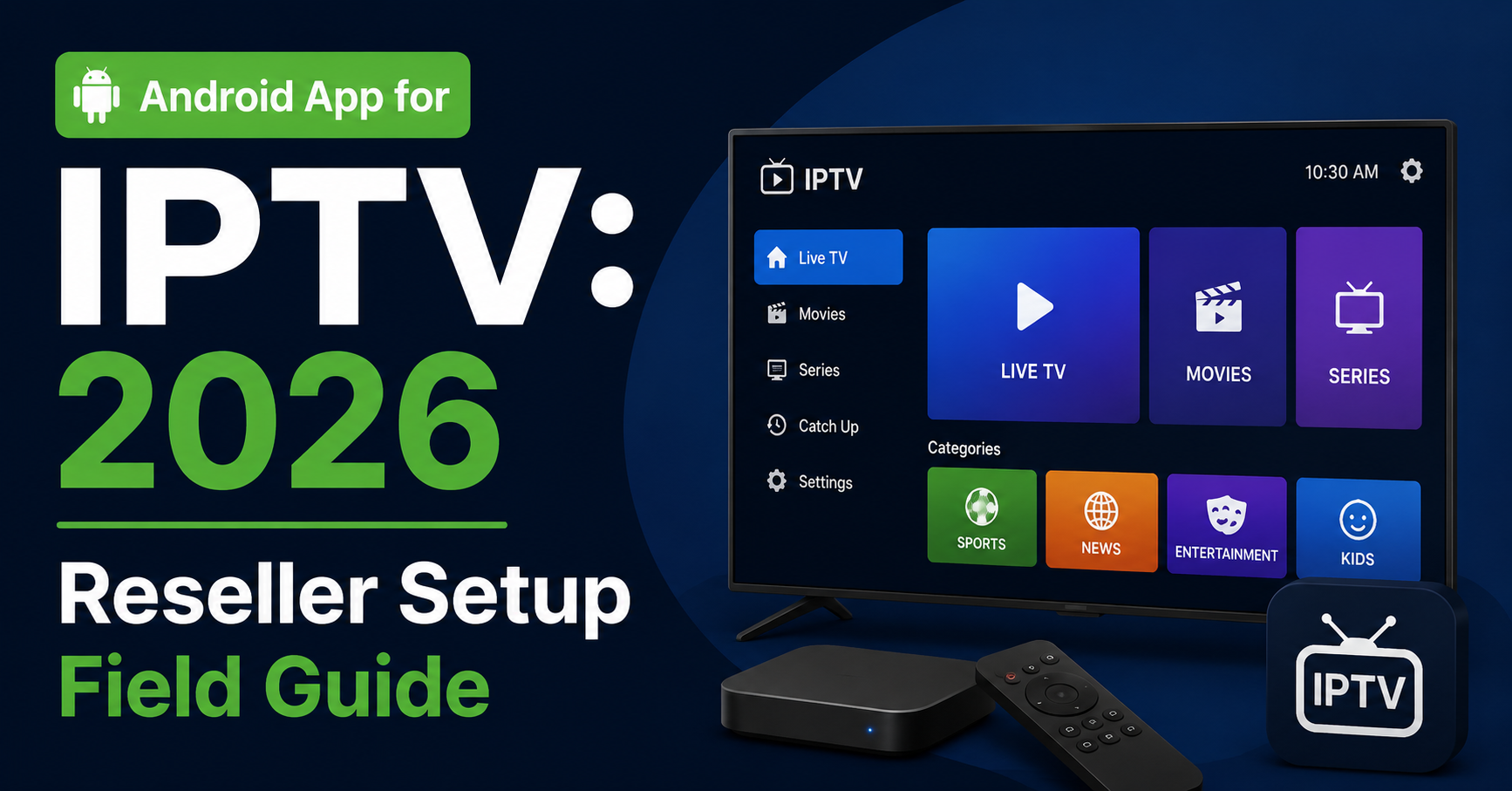
Every reseller who has survived long enough in IPTV has a war story about a customer screaming into a support chat at 2 AM because their streams won’t load. Nine times out of ten, the problem started long before the stream failed. It started the moment they installed the wrong Android app for IPTV on the wrong device with the wrong playlist format and zero guidance. This article isn’t a glossy overview. It’s the field-tested playbook that separates resellers who scale from those who drown in tickets and churn out within six months.
If you’re running an IPTV reseller panel, onboarding new subscribers, or just trying to figure out which Android app for IPTV is worth recommending in 2026, everything you need is here, pulled from years of hands-on panel management and real infrastructure firefighting.
Why the Wrong Playlist Format Kills Your Setup Before It Starts
The number one support headache with any Android app for IPTV doesn’t come from servers, buffering, or ISP blocking. It comes from playlist formatting. A customer downloads their app, enters the credentials or uploads a playlist file, and nothing loads. Blank screen. Error messages. Instant frustration.
Here’s the breakdown of what actually goes wrong. M3U vs M3U8 confusion is common, some apps expect a raw .m3u file, others need an M3U8 URL with authentication tokens baked in, and customers paste the wrong format and blame the service. Xtream Codes API vs playlist link causes issues too, resellers send an Xtream login (host/username/password), but the customer’s chosen app doesn’t support API login, or vice versa. And expired or cached playlists cause problems, older playlist files don’t auto-refresh, channels disappear, EPG data breaks, and the customer assumes the whole service is dead.
Pro Tip: Always provide both an Xtream Codes API login AND a direct M3U URL to every customer. Let the app decide which works. This one move cuts first-setup tickets by roughly half.
If you’re recommending a specific Android app for IPTV to your customer base, make sure your onboarding guide explicitly shows which input method to use, screenshots included. Generic instructions create generic confusion.
TiviMate: The Android App for IPTV That Resellers Actually Trust
Ask any experienced operator which Android app for IPTV they recommend and you’ll hear the same name: TiviMate. Not because it’s trendy. Because it consistently works under conditions where other players choke.
The table below shows what separates TiviMate from generic free IPTV apps:
| Feature | TiviMate | Generic free IPTV apps |
|---|---|---|
| Xtream Codes API support | Full native support | Partial or absent |
| EPG handling | Smooth, auto-refresh | Laggy, manual reload |
| Multi-playlist management | Yes (Premium) | Rarely supported |
| Catch-up & recording | Built-in | Hit or miss |
| Buffer control settings | Adjustable | Usually locked |
| UI responsiveness on low-end hardware | Optimised | Sluggish and bloated |
TiviMate Premium is worth every penny for subscribers who care about stability. The free version works for testing, but the premium unlock is where real usability lives, multi-playlist support alone makes it essential for households juggling different packages.
Pro Tip: If you’re a IPTV Panel reseller, negotiate a bulk arrangement or create a branded setup PDF that walks customers through TiviMate Premium activation step by step. When every subscriber is on the same app, your support workflow gets predictable, and predictable means scalable.
Hardware Matters More Than Most Resellers Admit
Here’s something that rarely shows up in generic IPTV guides: the device your customer uses determines their experience more than your server quality does. You can run the cleanest CDN on the planet, and a budget Android box from an unknown factory in Shenzhen will still buffer, crash, and overheat.
The Android app for IPTV can only perform as well as the hardware beneath it. Cheap imported Android boxes, the ones flooding marketplaces at bargain prices, come with outdated processors, minimal RAM, and Android versions so old they can’t handle modern HLS streams properly.
What actually works in 2026 includes the Amazon Fire Stick 4K Max, with a strong processor, regular firmware updates, and handles TiviMate without breaking a sweat. Chromecast with Google TV offers a clean interface, decent specs, and is solid for single-household use. NVIDIA Shield is overkill for most subscribers, but bulletproof for power users running multiple apps simultaneously.
What doesn’t work includes unbranded boxes with 1GB RAM, devices stuck on Android 7 or 8, and anything with “MXQ” in the product name and a price under £20.
Pro Tip: Build a “recommended devices” section into your reseller storefront. When a customer buys a subscription and a recommended device together, their setup experience improves dramatically, and your refund rate drops.
Steer your subscribers toward hardware that won’t embarrass your service. The best Android app for IPTV in the world can’t rescue a device that belongs in a recycling bin.
The Real Buffering Fix That Nobody Talks About
Buffering complaints account for more churn than pricing, content gaps, or competitor poaching combined. When a subscriber’s Android app for IPTV buffers during a live match or a film night, they don’t open a ticket. They cancel and find someone else.
But here’s what most resellers get wrong: they assume buffering is a server problem. In reality, the first thing to check, every single time, is the customer’s internet connection.
The 90% fix sequence starts with a speed test at the device level, not on a phone, not on a laptop, but on the actual streaming device, since Wi-Fi signal strength varies wildly between rooms. Next, switch from Wi-Fi to ethernet, a £10 ethernet adapter solves more buffering issues than any server upgrade, especially in households with multiple devices competing for bandwidth. Then check ISP throttling, some ISPs in the UK and Europe throttle streaming traffic, and a basic DNS change (not DNS poisoning, a clean public DNS like Cloudflare’s 1.1.1.1) often restores full speed. Finally, adjust buffer settings inside the app, TiviMate and most quality Android apps for IPTV allow you to increase the buffer size, bumping it from the default to 3 to 5 seconds absorbs micro-drops without visible interruption.
If the stream still buffers after all four steps, then, and only then, look at your server infrastructure. Check your uplink. Check load balancing across your panels. Check whether your provider’s CDN is overloaded during peak hours.
ISP Blocking in 2026: What Changed and What It Means for Your App
ISP-level enforcement has evolved. In 2024 and 2025, blocking was clumsy, broad DNS blocks, easily bypassed with a VPN or DNS swap. By 2026, AI-driven deep packet inspection is becoming mainstream among major UK and European ISPs.
What this means practically is that standard VPN connections are increasingly fingerprinted and throttled, some ISPs are flagging HLS traffic patterns that match known IPTV signatures, and DNS poisoning techniques are more sophisticated, redirecting queries silently rather than returning block pages.
For anyone running an Android app for IPTV, this creates a new operational reality. Your subscribers need guidance not just on app setup, but on connection security.
Reseller-side actions that matter now include ensuring your panel provider offers backup uplink servers that rotate automatically during enforcement waves, recommending DOH (DNS over HTTPS) configuration at the router level for your subscribers, and testing your streams monthly from multiple UK ISP connections, don’t assume your feed works everywhere just because it works on your own line.
Here’s how cheap and premium infrastructure compare on this front:
| Cheap infrastructure | Premium infrastructure |
|---|---|
| Single uplink, no failover | Multiple uplinks with auto-rotation |
| Shared CDN with hundreds of resellers | Dedicated or semi-dedicated CDN |
| No DDoS protection | Layer 7 DDoS mitigation |
| DNS-only, no DOH/DOT support | Full encrypted DNS support |
| No load balancing | Geographic load balancing across nodes |
Pro Tip: Ask your panel provider directly: “What happens to my streams when your primary uplink gets blocked?” If they can’t answer clearly, you’re one enforcement wave away from losing your entire customer base overnight.
Onboarding New Resellers Without Creating a Support Disaster
The fastest way to kill a reseller operation isn’t bad servers or ISP blocks. It’s poor onboarding. A new reseller who doesn’t understand how to set up their customers’ Android app for IPTV will generate ten times the support load of someone who was trained properly from day one.
The bare minimum onboarding kit for new resellers includes a branded PDF setup guide covering TiviMate installation, Xtream API login, and M3U playlist import, with screenshots for every step. A recommended device list stops resellers from letting customers try running streams on decade-old tablets. A basic troubleshooting flowchart (internet check first, then DNS, then buffer settings, then escalate) alone deflects the majority of first-line tickets. And pre-written customer messages for common issues mean resellers shouldn’t be composing technical responses from scratch every time someone’s EPG fails to load.
When your resellers can handle their own subscribers confidently, you stop being a help desk and start being a wholesale operation. That’s the difference between a panel with 50 resellers who drain your time and a panel with 500 who run independently.
Pro Tip: Create a private onboarding video, five minutes maximum, showing the full setup of an Android app for IPTV on a Fire Stick using TiviMate. Send it to every new UK IPTV reseller before they activate their first credit. The ones who watch it never become problem resellers.
Panel Credits and Pricing: Where Margin Gets Made or Lost
Running an Android app for IPTV isn’t just about streams and devices. The business model underneath, panel credits, pricing tiers, and margin control, is where resellers either build a sustainable income or bleed money chasing volume.
Common credit pricing mistakes include pricing too low to compete, which attracts bargain hunters who churn fast, complain loudly, and leave one-star reviews everywhere. No tiered pricing is another trap, offering a single price for 1-month, 3-month, and 12-month subscriptions leaves money on the table, since longer commitments should carry discounts that incentivise retention. And ignoring credit expiry policies causes issues too, some panel providers expire unused credits, so if you’re buying credits in bulk to save margin, make sure you can actually move them before they vanish.
Smart resellers in 2026 are structuring their pricing around value, not volume. A subscriber paying a fair price for a reliable Android app for IPTV experience, stable streams, good EPG, minimal buffering, will stay for years. A subscriber who paid bottom-rate will leave the moment someone undercuts you by a pound.
Scaling Without Drowning: The Reseller Growth Trap
Every reseller hits a wall somewhere between 100 and 300 active subscribers. Suddenly, the same Android app for IPTV setup that worked smoothly with a small customer base starts cracking. Support tickets multiply. Renewal reminders get missed. Panel credit management becomes a spreadsheet nightmare.
Scaling requires infrastructure, not just server-side, but operational. Automate renewal notifications rather than relying on manual follow-ups, use email or messaging automation tied to subscription dates. Segment your customer base too, household subscribers and sub-resellers have completely different support needs and should be treated differently. And monitor churn patterns closely, if subscribers consistently leave after month two, your onboarding or content quality has a gap, so don’t just replace them, fix the leak.
The resellers who survive past 500 subscribers are the ones who built systems early. The ones who burn out are the ones who tried to handle everything manually until it became impossible.
Frequently Asked Questions
What is the best Android app for IPTV in 2026?
TiviMate remains the most reliable Android app for IPTV for both resellers and subscribers. Its native Xtream Codes API support, adjustable buffer settings, and multi-playlist management make it the standard choice for anyone serious about stream quality and operational consistency across a subscriber base.
Do I need a VPN to use an Android app for IPTV?
Not always, but it depends on your ISP. In 2026, some providers use AI-driven deep packet inspection to identify and throttle IPTV traffic. If you notice speed drops during peak hours or specific content failing to load, enabling a VPN or switching to DNS over HTTPS at your router level often resolves the issue.
Why does my IPTV buffer even with fast internet?
Raw speed isn’t the only factor. Wi-Fi interference, device-level congestion, and ISP throttling all cause buffering regardless of your headline broadband speed. Always test on the streaming device itself using an ethernet connection before assuming the server or the Android app for IPTV is at fault.
Can I run an Android app for IPTV on a cheap Android box?
You can, but expect problems. Budget boxes with 1GB RAM and outdated Android versions struggle with modern HLS streams. They overheat, crash mid-stream, and lack firmware updates. Investing in a Fire Stick 4K Max or Chromecast with Google TV saves you from constant support headaches.
What playlist format should I use with my Android app for IPTV?
Provide both an Xtream Codes API login (host, username, password) and a direct M3U URL. Different apps handle formats differently, and giving customers both options eliminates the most common setup failure. Avoid distributing static M3U files that don’t auto-refresh, they cause EPG failures and missing channels.
How many IPTV reseller credits should I buy at once?
Buy in volumes that match your monthly activation rate plus a small buffer, typically two to three months of projected sales. Bulk purchases save margin but carry risk if credits expire or your provider changes terms. Track credit usage weekly to avoid waste.
Is it legal to resell IPTV subscriptions?
Legality varies by region and depends entirely on the content being distributed. This article focuses on the technical and operational aspects of running a reseller operation using an Android app for IPTV. Always seek independent legal advice specific to your jurisdiction before starting any reseller activity.
How do I reduce customer support tickets as a reseller?
Create a branded setup guide with screenshots covering your recommended Android app for IPTV, include a troubleshooting flowchart (internet → DNS → buffer settings → escalate), and distribute a recommended device list. Resellers who provide documentation upfront see ticket volumes drop significantly within the first month.
Your 2026 Android App for IPTV Success Checklist
- Standardise every subscriber on TiviMate, one app, one support workflow, predictable troubleshooting.
- Distribute both Xtream API credentials and M3U URLs with every activation, eliminate playlist format confusion before it starts.
- Publish a recommended device list on your storefront and actively discourage cheap unbranded Android boxes.
- Build a branded setup PDF with step-by-step screenshots and send it automatically with every new subscription.
- Train your resellers to run the four-step buffering fix (device speed test → ethernet → DNS → buffer size) before escalating anything.
- Audit your panel provider’s infrastructure quarterly, ask about backup uplinks, load balancing, and DDoS protection directly.
- Structure pricing into 1-month, 3-month, and 12-month tiers with retention-focused discounts on longer commitments.
- Automate renewal reminders and churn tracking, manual follow-up doesn’t survive past 200 subscribers.
- Test your streams monthly from multiple ISP connections to catch enforcement blocks before your customers do.
- Visit britishseller.co.uk for reseller panel access, credit packages, and infrastructure built for operators who take this seriously.