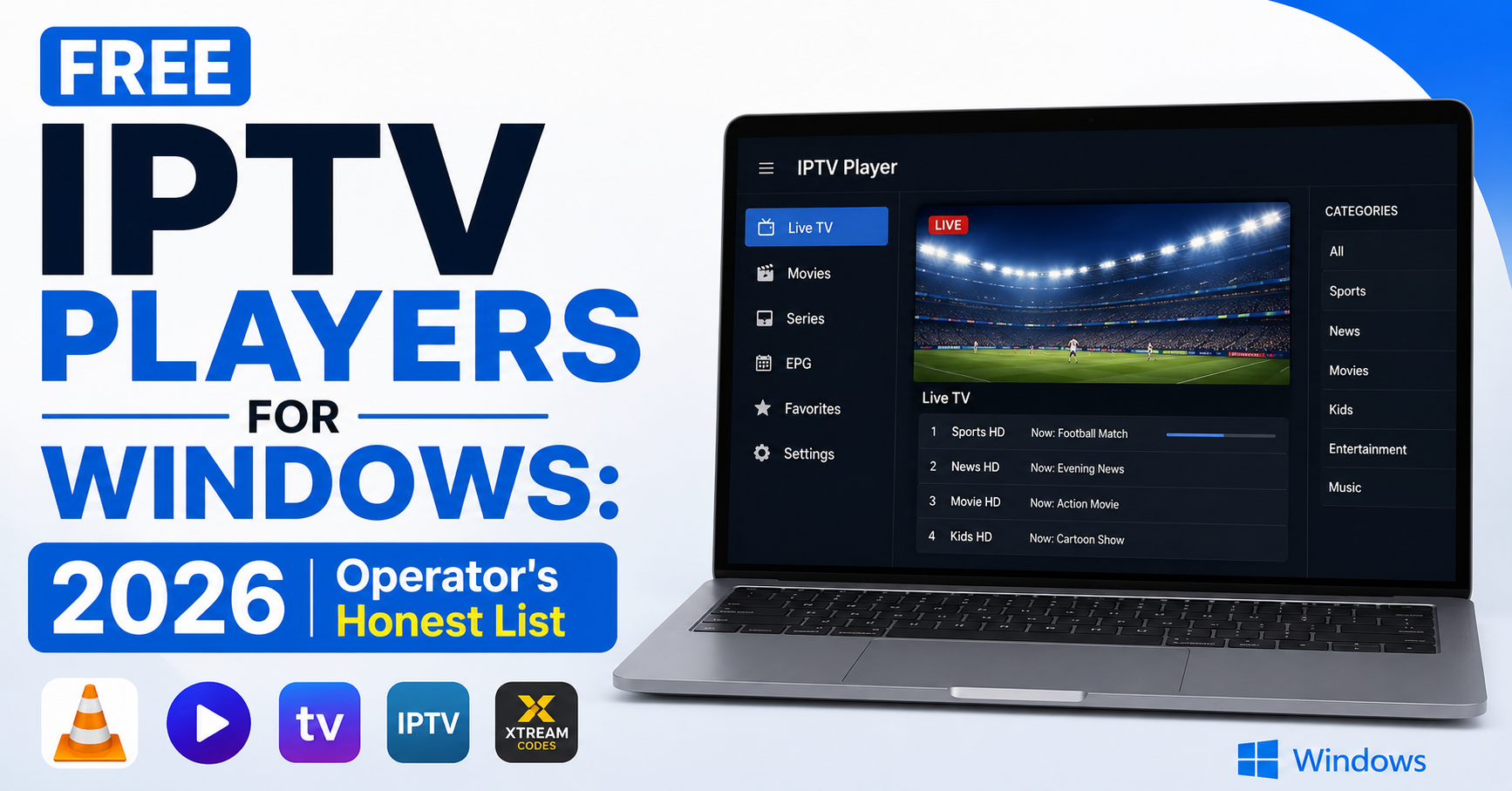
Nobody installs an IPTV player on Windows thinking they’re about to spend the next forty minutes troubleshooting playlist errors. But that’s exactly what happens, every single day, across thousands of new setups worldwide. The gap between downloading a free IPTV player for Windows and actually watching a stable stream is wider than most guides admit. This article closes that gap. Not with a recycled list of apps copied from 2021 blog posts, but with hard-won operator knowledge from years of managing reseller panels where Windows users account for a stubborn, vocal chunk of the subscriber base.
If you’re a household subscriber trying to cut costs, an IPTV UK reseller recommending tools to your customers, or someone evaluating free IPTV players for Windows before committing to a paid option, this is the resource that tells you what actually holds up under real conditions in 2026.
VLC Media Player: The Free IPTV Player for Windows That Outlasted Everything
There’s a reason VLC has survived every wave of IPTV evolution since the early days. It isn’t flashy. It doesn’t have a slick channel grid or built-in EPG. But when you need a free IPTV player for Windows that simply works with almost any stream format thrown at it, VLC remains the first name out of any experienced operator’s mouth.
What VLC handles that others fumble includes M3U and M3U8 playlists, drag, drop, play, no plugin installation, no format conversion. It handles RTMP, HLS, and UDP streams, digesting protocols that crash lesser players outright. Network stream input works smoothly too, paste an Xtream Codes URL directly into the network stream dialog and you’re live in seconds. And hardware acceleration is built in, modern VLC builds offload decoding to your GPU, meaning even older laptops handle HD streams without stuttering.
The trade-off is obvious: VLC gives you raw playback power but zero IPTV-specific features. No electronic program guide. No channel favourites management. No catch-up TV. For a subscriber who just wants to watch, that’s fine. For a reseller trying to deliver a polished customer experience, VLC is a starting point, not a destination.
Pro Tip: When recommending VLC as a free IPTV player for Windows to your subscribers, always send the official download link yourself. Customers who Google “VLC download” land on clone sites packed with adware more often than you’d think.
Why Playlist Format Errors Wreck More Setups Than Bad Servers
This will sound familiar if you’ve read anything about IPTV troubleshooting, but it bears repeating with a Windows-specific twist: playlist format errors are the single largest source of first-setup failures when using free IPTV players for Windows. The problem isn’t the player. It’s what gets pasted into it.
On Windows, the failure modes multiply because of how the operating system handles file encoding and line breaks. The table below lays out the most common ones:
| Error type | What happens | Fix |
|---|---|---|
| UTF-8 BOM encoding | Playlist loads but channels show garbled names or fail silently | Re-save the .m3u file in Notepad++ as UTF-8 without BOM |
| Windows line endings (CRLF) | Some players choke on carriage returns embedded in playlist files | Convert to Unix (LF) line endings before importing |
| Missing user-agent string | Streams return 403 errors despite valid credentials | Add a user-agent header in the player’s network settings or in the M3U file itself |
| Expired token URLs | Playlist loads once, then fails on next launch | Use Xtream Codes API login instead of static M3U links |
Most subscribers don’t know what any of this means, and they shouldn’t have to. That’s where the reseller’s job begins. If you’re distributing playlists for use with free IPTV players for Windows, test every format on a clean Windows installation before sending it out.
Pro Tip: Always provide Xtream Codes API credentials alongside any M3U link. API-based logins regenerate playlist data dynamically, sidestepping 80% of the format issues that plague static files on Windows machines.
Beyond VLC: Other Free IPTV Players for Windows Worth Testing
VLC earns its place as the default recommendation, but it isn’t the only option. Several other free IPTV players for Windows have matured enough to deserve mention, each with different strengths depending on what the subscriber actually needs.
Kodi (with PVR IPTV Simple Client) transforms a Windows PC into a full media centre. The PVR IPTV Simple Client add-on handles M3U playlists and delivers an EPG grid that VLC can’t match. Setup takes longer, but for households who want a TV-like interface on a laptop connected to their living room screen, Kodi fills that gap.
MyIPTV Player, available directly from the Microsoft Store, means no sideloading and automatic updates. It supports M3U playlists and EPG integration. The interface is clean but basic. It suits subscribers who want a “set it and forget it” free IPTV player for Windows without configuring anything complex.
Potplayer is a Korean-developed player with excellent codec support and extremely low resource usage. It handles HLS streams with less latency than VLC in some benchmark tests. The downside is that the interface feels dated and the settings menus are dense. Best suited for technically confident users.
For simplicity, MyIPTV Player wins. For a full media centre experience, Kodi is the choice. For raw performance on older hardware, Potplayer stands out. And for an all-rounder with no setup, VLC remains the default.
No single free IPTV player for Windows covers every use case. Smart IPTV UK resellers maintain setup guides for at least two options, typically VLC for quick deployment and Kodi for subscribers who want the full EPG experience.
The Cracked Software Trap: What Happens When Free Isn’t Really Free
Here’s the uncomfortable truth that needs saying plainly: a significant number of people searching for free IPTV players for Windows aren’t looking for legitimate free software. They’re looking for cracked versions of paid players, hacked copies of premium apps with license checks removed.
This is a minefield. And not just ethically.
Cracked IPTV players carry real operational risks that most users never consider until it’s too late. Embedded malware is a real threat, keyloggers, crypto miners, and remote access trojans are routinely bundled into cracked media players. The user thinks they got a premium player for free. They actually got their panel credentials stolen. No updates is another issue, cracked software doesn’t receive patches, so when a codec vulnerability surfaces or a stream protocol changes, the cracked player breaks permanently. Credential harvesting is a serious risk too, some modified players silently transmit Xtream Codes login details to third-party servers, and your subscriber’s account gets shared, your panel gets abused, and your bandwidth costs spike without explanation. And there’s zero support recourse, when something breaks, there’s nobody to contact, no developer, no community, no changelog.
Pro Tip: If you’re a reseller, include a clear warning in your onboarding documentation: only download free IPTV players for Windows from official sources, VLC from videolan.org, Kodi from kodi.tv, MyIPTV Player from the Microsoft Store. A single line in your setup guide prevents a cascade of compromised accounts.
The free options that exist legitimately are genuinely capable. There’s no need to risk a cracked player when VLC alone handles 90% of subscriber needs at zero cost.
Windows-Specific Network Settings That Affect Every Free IPTV Player
Something that gets overlooked in platform-agnostic IPTV guides: Windows itself has networking quirks that directly impact stream stability on any free IPTV player for Windows. These aren’t app-level issues, they’re OS-level configurations that most subscribers never touch.
Firewall rules cause trouble often. Windows Defender Firewall occasionally blocks outbound connections from newly installed players. The stream simply fails to connect, with no helpful error message. Adding the player to the firewall’s allowed applications list fixes it instantly, but most users don’t think to check.
DNS configuration matters too. Windows defaults to ISP-assigned DNS, which in the UK and parts of Europe increasingly means DNS-level blocking of IPTV-associated domains. Switching to encrypted DNS providers, Cloudflare (1.1.1.1) or Google (8.8.8.8), at the network adapter level resolves most access issues without needing a full VPN.
Power management throttling is often overlooked. Laptops running on battery mode aggressively throttle CPU and network activity. A free IPTV player for Windows that works perfectly when plugged in might buffer relentlessly on battery. Switching to high-performance power mode before streaming eliminates this.
Here’s a summary of the key Windows settings worth adjusting:
| Windows setting | Default behaviour | Recommended change |
|---|---|---|
| DNS server | ISP-assigned (often filtered) | Manual: 1.1.1.1 or 8.8.8.8 |
| Firewall | Blocks unknown outbound apps | Allow IPTV player explicitly |
| Power plan | Balanced/battery saver | High performance during streaming |
| Network adapter | Auto-negotiate speed | Force full duplex if on ethernet |
| Windows Update | Downloads in background | Pause during peak viewing hours |
Pro Tip: Create a one-page “Windows Optimization Checklist” PDF and distribute it with every subscription activation. Five minutes of configuration saves hours of buffering complaints, and positions you as a reseller who actually understands the platform your customers use.
ISP Blocking on Windows in 2026: Same Fight, Different Battlefield
The enforcement landscape for IPTV hasn’t softened. If anything, AI-driven deep packet inspection has made ISP-level blocking more precise across all platforms. For subscribers using free IPTV players for Windows, the experience mirrors what Android users face, but with one key difference: Windows gives you more control over network configuration at the OS level.
What’s actually happening in 2026 includes major UK and European ISPs fingerprinting HLS traffic patterns rather than just blocking DNS queries, DNS poisoning that has evolved beyond simple redirects, with some ISPs silently rerouting queries to serve modified responses, and improved VPN detection, with some providers throttling connections that match VPN traffic signatures.
For resellers, this means your recommendations around free IPTV players for Windows need to extend beyond the app itself. You’re advising on the entire connection stack now.
Practical steps that make a difference include recommending DNS over HTTPS (DoH) configuration in Windows 11 natively, it’s built into the network settings now. Suggesting backup uplink servers from your panel provider lets subscribers switch endpoints when their primary gets flagged. And testing your service monthly from at least three different UK ISP connections catches issues, since what works on one may fail on another.
The resellers who retain subscribers through enforcement waves aren’t the ones with the cheapest prices. They’re the ones who proactively notify customers about blocks, provide alternative connection details before anyone complains, and maintain documentation that actually addresses platform-specific realities.
Paid vs Free: When Should a Subscriber Upgrade?
There’s a ceiling to what any free IPTV player for Windows can deliver. Knowing where that ceiling sits helps resellers set expectations honestly, and opens a natural upsell conversation without being pushy.
Free players like VLC and Kodi handle basic playback well. But once a subscriber starts expecting features that turn a Windows PC into a genuine TV replacement, the limitations stack up. What free players lack includes integrated EPG with channel logos and programme descriptions (Kodi partially covers this, but setup is fiddly), multi-screen or picture-in-picture viewing, automatic stream recovery after drops, built-in parental controls, and smooth catch-up TV and timeshift functionality.
Upgrading makes sense for households with multiple viewers who need a polished, TV-like interface, subscribers who complain about EPG gaps despite correct playlist configuration, anyone streaming premium sports content where instant recovery from drops matters, and users who aren’t technically confident enough to configure Kodi or troubleshoot VLC network settings.
The honest conversation with a subscriber goes like this: free IPTV players for Windows will get you watching. Paid options will keep you watching without friction. The difference between the two is often the difference between a subscriber who stays for twelve months and one who churns after the first live match buffers at a critical moment.
Pro Tip: Position paid player recommendations as an upgrade path, not a criticism of the free option. “VLC got you started, here’s what takes it to the next level” converts better than “free players aren’t good enough.” Frame it around their experience, not your margin.
Panel Credits and the Hidden Cost of Supporting Free Software Users
Resellers who allow subscribers to use any free IPTV player for Windows without guidance pay a hidden tax: support time. Every minute spent walking someone through VLC’s network stream dialog or troubleshooting Kodi’s PVR client is a minute not spent acquiring new customers or optimising panel credit usage.
Panel credits are the fuel of your reseller operation. Every credit represents revenue, and every credit activated on a subscriber who can’t figure out their player is revenue at risk.
Smart credit management for free-player subscribers means bundling a setup guide with every credit activation, the guide costs you thirty minutes to create once and saves dozens of hours per month in support. It also means tracking which players generate the most tickets, if Kodi users account for 60% of your support load but only 15% of your subscriber base, that’s a data point worth acting on. And it means setting credit expiry reminders, since some panel providers expire unused credits, so don’t let operational credits vanish because you were busy explaining playlist formats to a Windows user who downloaded the wrong file.
The maths is simple. A reseller with 200 subscribers and a solid setup guide for free IPTV players for Windows spends less time on support than a reseller with 50 subscribers and no documentation. Scale lives and dies on operational efficiency, not on subscriber count alone.
Frequently Asked Questions
Can I use free IPTV players for Windows on older versions like Windows 7?
VLC and Potplayer still run on Windows 7, but Microsoft ended security support years ago. Running any streaming application on an unsupported OS exposes your credentials and browsing activity to unpatched vulnerabilities. If you must use Windows 7, isolate the machine from sensitive accounts and avoid entering panel credentials directly.
How do I add an EPG to my free IPTV player for Windows?
Most free players don’t natively support EPG. Kodi’s PVR IPTV Simple Client is the exception, it accepts an EPG XML URL alongside your M3U playlist. Ask your reseller for an EPG link when they provide your subscription details. Without it, you’ll see channels but no programme schedule.
Do free IPTV players for Windows support 4K streams?
VLC and Potplayer can decode 4K content if your hardware supports it. The bottleneck is rarely the player, it’s your internet speed and whether your IPTV provider actually delivers 4K bitrate streams. Most providers cap at 1080p for standard packages; 4K requires dedicated higher-tier plans.
Is it safe to download free IPTV players for Windows from third-party sites?
No. Always download from official sources: videolan.org for VLC, kodi.tv for Kodi, and the Microsoft Store for MyIPTV Player. Third-party download sites frequently bundle adware, modified installers, or credential-harvesting code that compromises your subscription and personal data.
Why does my free IPTV player for Windows show a black screen with audio only?
This typically indicates a video codec mismatch or a GPU driver issue. Update your graphics drivers first. In VLC, go to Tools → Preferences → Video and switch the output module from Automatic to DirectX or OpenGL. If the problem persists, disable hardware acceleration temporarily to confirm whether it’s a driver conflict.
Can resellers white-label a free IPTV player for Windows?
Not legally with existing free players, VLC and Kodi are open source with licensing terms that restrict commercial rebranding without compliance. Some resellers commission custom-built lightweight players instead, but this requires development investment. For most operations, branding the setup guide rather than the player itself is the practical approach.
How much bandwidth does a free IPTV player for Windows consume per hour?
Expect roughly 1.5 to 3 GB per hour at 1080p, depending on the encoding bitrate your provider uses. SD streams consume under 1 GB per hour. If your broadband has a data cap, factor streaming hours into monthly usage calculations, especially in multi-viewer households running simultaneous streams.
What happens if my ISP blocks the streams on my free IPTV player for Windows?
Switch your DNS to an encrypted provider like Cloudflare (1.1.1.1) using DNS over HTTPS in Windows 11 settings. If DNS changes don’t resolve it, request alternative server endpoints from your reseller, reputable providers maintain backup uplink servers specifically for enforcement events. A VPN is the last resort, as it adds latency.
Your 2026 Free IPTV Players for Windows Success Checklist
- Default to VLC for every new subscriber on Windows, it handles the widest range of stream formats with zero configuration and zero cost.
- Always provide Xtream Codes API credentials alongside M3U links, API logins eliminate the majority of playlist format errors on Windows.
- Maintain a second recommendation (Kodi with PVR client) for subscribers who want EPG and a TV-like interface on their PC.
- Include an explicit warning against cracked software in every onboarding document, one sentence saves months of compromised-account headaches.
- Build a Windows Optimization Checklist covering DNS settings, firewall rules, and power plan configuration, distribute it with every activation.
- Test your playlists on a clean Windows installation before distributing, check encoding (UTF-8 without BOM) and line endings (LF, not CRLF).
- Track which free IPTV players for Windows generate the most support tickets and adjust your recommendations quarterly based on real data.
- Configure DNS over HTTPS natively in Windows 11 for all subscribers, it’s built in and sidesteps most ISP-level DNS blocking without needing a VPN.
- Position paid player upgrades as a natural progression, not a criticism, frame it around the subscriber’s experience improving, not their current setup failing.
- Head to britishreseller.com for IPTV Reseller panel access, reseller credits, and infrastructure designed for operators who support subscribers across every platform.