4 channel IPTV encoders only hold up under real subscriber load when the hardware, encoding profile, and downstream distribution are all built for peak demand, not just tested quietly on a Tuesday afternoon. Get any one of those wrong and Thursday night football finds out before you do.
Nobody talks about the night your encoder catches fire. Figuratively, mostly. You’ve got four streams running clean during testing, your UK IPTV reseller panel are onboarded, credits loaded, and then Thursday evening football kicks off and your 4 channel IPTV encoders start dropping frames like confetti. The dashboard turns red. Tickets flood in. You’re SSH’d into a box at midnight wondering where it all went sideways.
That’s where this piece starts, not from a product spec sheet, but from the operator’s chair. Because 4 channel IPTV encoders aren’t complicated in theory. They take four input signals, transcode them into deliverable streams, and push them out. Simple enough on paper. Brutal in execution when you’re feeding a network of 200 resellers who each promised their subscribers “buffer-free HD.”
This article breaks down what actually matters when selecting, deploying, and scaling 4 channel IPTV encoders, the stuff that separates a weekend hobby from a resilient content delivery operation. We’ll cover hardware choices, encoding profiles, HLS latency traps, load balancing realities, and the exact points where most IPTV reseller operations snap under pressure.
If you’ve already bought your encoder and you’re wondering why streams stutter during peak, keep reading. If you haven’t bought one yet, you’re in a better position than you think.
What 4 Channel IPTV Encoders Actually Do (And What They Don’t)
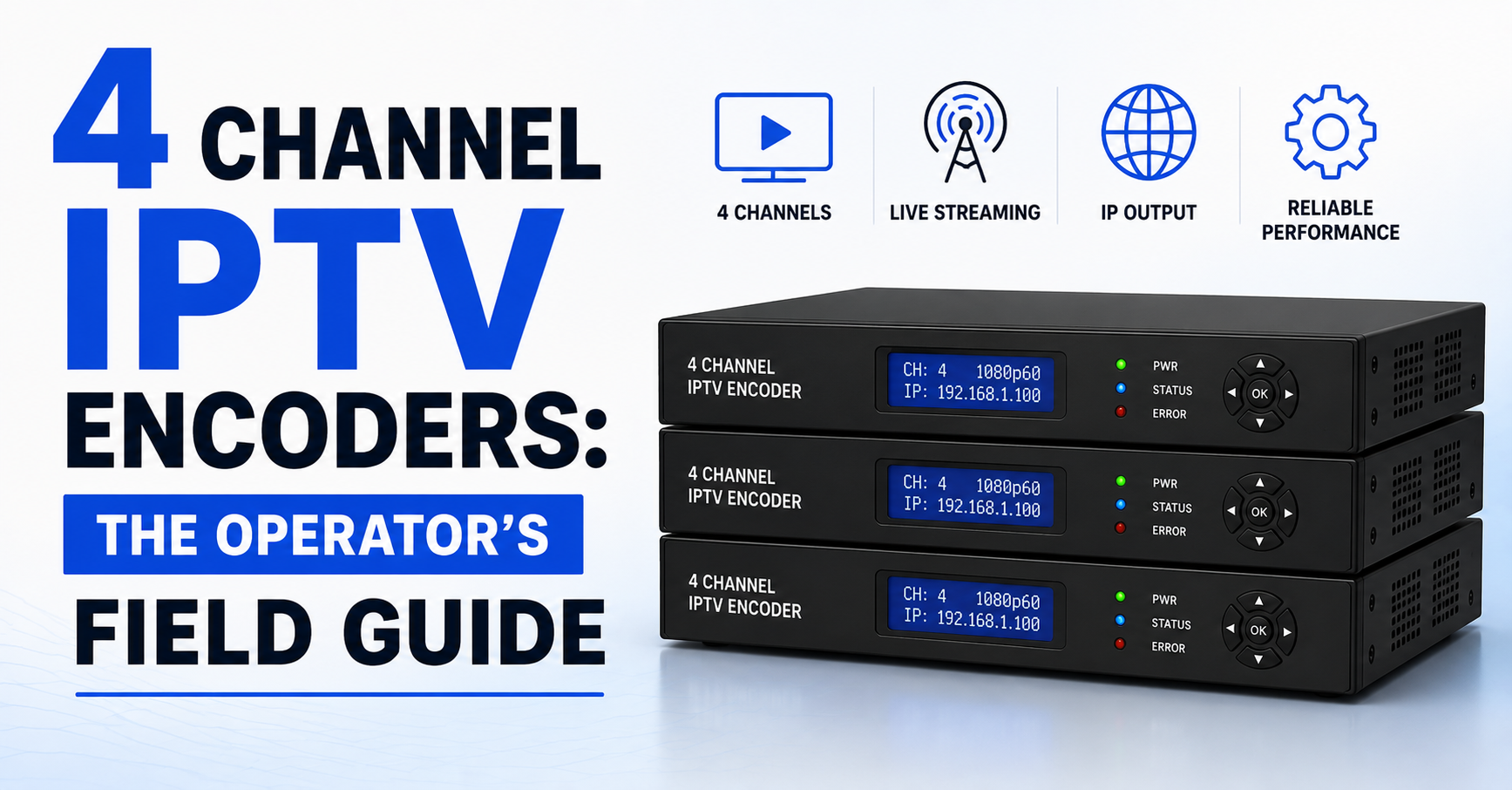
A 4 channel IPTV encoder accepts four simultaneous input feeds, typically via HDMI or SDI, and transcodes each into a digital stream suitable for IP-based delivery. Most units output in H.264 or H.265, wrapped in MPEG-TS or HLS format, and push to a media server or CDN endpoint.
Here’s what trips people up: the encoder is not your streaming infrastructure. It’s one node in a chain. Your encoder handles ingest and compression. Everything downstream, multiplexing, distribution, edge caching, panel integration, sits on entirely separate architecture.
Pro Tip: Treat your 4 channel IPTV encoders as the first link in a chain, not the whole chain. Most failures aren’t encoding failures, they’re distribution failures blamed on the encoder.
Operators who confuse the encoder’s job with the server’s job end up overspending on encoder hardware while running streams through a single underpowered VPS. That mismatch is where buffering lives.
Hardware Tiers: Cheap Boards vs. Broadcast-Grade 4 Channel IPTV Encoders
Not all 4 channel IPTV encoders are built the same, and the price gap between a £120 AliExpress unit and a £2,400 purpose-built rack encoder tells a real story. Here’s where the difference sits:
| Feature | Budget encoder (£100 to £250) | Broadcast-grade encoder (£1,500+) |
|---|---|---|
| Input stability | Drops signal on resolution switch | Seamless input recovery |
| Bitrate ceiling | 6 to 8 Mbps per channel | 20+ Mbps per channel |
| Simultaneous encoding | Stutters above 3 active channels | Stable across all 4 at full load |
| HLS segment accuracy | Irregular chunk timing | Precision segmenting with low drift |
| Cooling | Passive or single fan | Active thermal management |
| Firmware updates | Rare, sometimes abandoned | Regular patches and protocol support |
Budget hardware works for testing or low-concurrency setups. But if you’re feeding streams into a reseller panel that serves paying subscribers, those dropped frames and irregular HLS segments translate directly into churn.
Why Encoding Profiles Break Your Streams Before the Server Does
Here’s a dimension most guides skip entirely. Your 4 channel IPTV encoders ship with default encoding profiles, usually CBR at a mid-range bitrate with baseline H.264. Operators leave these defaults untouched and then wonder why streams look muddy on fast-motion content or why bandwidth costs spike.
The encoding profile is where quality meets efficiency. And getting it wrong doesn’t just degrade picture, it cascades.
- CBR (Constant Bitrate) keeps bandwidth predictable but wastes data on static scenes and starves complex motion.
- VBR (Variable Bitrate) adapts to content complexity but can spike during action sequences, overwhelming underpowered edge servers.
- CRF (Constant Rate Factor) targets perceptual quality but offers zero bandwidth predictability, dangerous for large subscriber bases.
For reseller operations running 4 channel IPTV encoders into shared infrastructure, the practical choice is constrained VBR with a hard ceiling. You get adaptive quality without the bandwidth surprises that crash your upstream.
Pro Tip: Set your VBR ceiling at 80% of your per-channel bandwidth allocation. That 20% buffer absorbs sports broadcast spikes without triggering packet loss at the server level.
Most operators discover this after a major sporting event melts their setup. The ones who last configure it before that happens.
HLS Latency and Why Your 4 Channel IPTV Encoders Feel “Laggy”
Subscribers don’t understand HLS segmenting. They understand “my neighbour’s stream is 30 seconds ahead of mine.” That perception, stream delay relative to a live broadcast, is driven almost entirely by how your 4 channel IPTV encoders handle HLS chunk creation.
Standard HLS uses 6-second segments with a playlist depth of 3. That’s 18 seconds of inherent latency before your CDN, edge server, and last-mile connection add their own delays. For live sports, that gap is death.
Reducing segment duration to 2 seconds with a playlist depth of 2 brings latency down to roughly 4 to 6 seconds. But shorter segments mean more HTTP requests per second per viewer, which multiplies load on your origin and edge servers dramatically.
Here’s the maths nobody shows you:
- 1,000 concurrent viewers × 6-second segments = ~167 requests/second
- 1,000 concurrent viewers × 2-second segments = ~500 requests/second
Triple the request volume. Same server. Same budget. That’s where things snap.
The solution isn’t just shorter segments, it’s pairing your 4 channel IPTV encoders with origin servers that can handle the increased request density, and fronting those origins with proper edge caching so repeated segment fetches never hit your backend twice.
DNS Poisoning and ISP Blocking: The 2026 Threat to Encoder Operations
Your 4 channel IPTV encoders might work perfectly, and subscribers still can’t watch. In 2026, AI-driven ISP blocking has moved beyond simple domain blacklists. Major broadband providers now deploy deep packet inspection trained on streaming traffic patterns, and DNS poisoning targets the resolution layer itself.
What this means practically:
- Your encoder pushes streams to an origin server
- The origin resolves via DNS to a CDN edge
- ISP-level DNS poisoning intercepts that resolution, returning a dead address or a block page
- The subscriber sees “stream unavailable,” and blames you
This has nothing to do with your encoder hardware. But it has everything to do with how you architect around your 4 channel IPTV encoders. Backup uplink servers on alternative DNS resolution paths aren’t optional anymore. They’re the difference between an operation that survives enforcement waves and one that folds after the first coordinated takedown.
Pro Tip: Run your encoder output to at least two geographically separated origin servers with independent DNS paths. When one gets poisoned, failover is instant. Your resellers never notice.
Operators who built single-origin setups in 2023 are scrambling now. The ones who planned for redundancy sleep better.
Load Balancing Across Multiple 4 Channel IPTV Encoders
Scaling beyond a single unit is where most reseller operations hit an architectural wall. You’ve got one set of 4 channel IPTV encoders handling four streams. You add a second unit for four more. Then a third. Suddenly you’re managing twelve input channels across three boxes, and nothing is coordinated.
Without proper load balancing, you get:
- Uneven bitrate distribution across origins
- Single points of failure per encoder group
- Manual failover during hardware issues (which always happen during peak)
The right approach treats your encoder fleet as a pool. Each unit publishes to a shared media server cluster, and the distribution layer pulls from whichever source is healthy. If one of your 4 channel IPTV encoders drops a feed, the balancer redirects to a backup ingest path without manual intervention.
This is where panel integration matters. Your UK IPTV reseller panel needs to resolve stream URLs dynamically, not hardcode them to a specific encoder’s output. Hardcoded paths are the single biggest cause of mass outages in multi-encoder deployments.
Panel Credits and the Hidden Cost of Encoder Downtime
Here’s the commercial dimension that pure tech guides ignore. When your 4 channel IPTV encoders go down, your resellers don’t just lose viewers, they lose panel credits. Every subscription activated against a dead stream erodes trust and triggers refund demands that eat your margin.
A 30-minute outage during a premium broadcast window can cost more in credit reversals and reseller churn than the encoder hardware itself.
The financial calculation resellers should run:
- Average active subscriptions per channel: estimate your number
- Credit value per subscription hour: calculate your rate
- Downtime window during peak: measure your exposure
That number is your business case for redundant 4 channel IPTV encoders. Not theoretical uptime percentages, actual financial exposure per hour of downtime.
Pro Tip: Build a downtime cost model before your next hardware purchase. Most operators discover their second encoder pays for itself after preventing a single peak-hour outage.
Choosing Between H.264 and H.265 on Your 4 Channel IPTV Encoders
The codec debate isn’t academic, it directly impacts your bandwidth costs, device compatibility, and subscriber experience. Most 4 channel IPTV encoders now support both H.264 and H.265, but choosing between them isn’t straightforward.
H.265 (HEVC) delivers roughly 40% better compression at equivalent quality, which sounds like an obvious win until you map it against your actual subscriber device landscape.
- Smart TVs manufactured before 2018: limited H.265 support
- Android boxes running older firmware: software decoding only (CPU intensive, causes stuttering)
- iOS devices: strong H.265 support
- Browser-based players: almost exclusively H.264
If 30% of your subscriber base can’t hardware-decode H.265, you’ve just created a buffering problem for a third of your customers while saving bandwidth for the other two-thirds.
The practical approach for operators running 4 channel IPTV encoders at scale is adaptive multi-profile output, encode each channel in both H.264 and H.265, and let the player negotiate. This doubles your encoding workload per channel, which means your hardware needs to handle it without thermal throttling.
The Physical Reality of Running Encoders 24/7
This section exists because nobody writes it and everybody needs it. Your 4 channel IPTV encoders run 24/7. They transcode four simultaneous streams continuously. That generates heat, sustained, relentless heat that degrades components over months.
Budget encoders with passive cooling or single small fans aren’t designed for always-on operation. They’re designed to pass a factory test. After six months of continuous use in a poorly ventilated space, chipset performance degrades, frame drops increase, and streams develop micro-stutters that are almost impossible to diagnose remotely.
- Mount encoders in ventilated rack positions with at least 1U spacing
- Monitor chipset temperatures via SNMP or web interface if available
- Replace thermal paste annually on high-duty units
- Keep ambient room temperature below 25°C where encoders operate
These aren’t suggestions, they’re operational requirements if your 4 channel IPTV encoders are feeding a production reseller network. Treating hardware maintenance as optional is how operators end up replacing entire units mid-contract.
Why Firmware Updates Matter More Than Spec Sheets
The encoder you bought six months ago isn’t the encoder you’re running today, or at least it shouldn’t be. Firmware updates on 4 channel IPTV encoders patch security vulnerabilities, improve HLS compliance, fix segment timing drift, and occasionally add protocol support that didn’t exist at launch.
Operators who skip firmware updates eventually encounter:
- Incompatibilities with updated media server software
- HLS playlist formatting that triggers buffering on newer players
- Security exploits that allow unauthorised access to encoder admin panels
- SRT or RTMP handshake failures after upstream server updates
Pro Tip: Schedule firmware reviews monthly. Don’t apply updates during peak hours, test on a non-production unit first. One bad firmware flash during a live event will teach you this lesson the expensive way.
The challenge with budget 4 channel IPTV encoders is that manufacturers sometimes abandon firmware support within a year. Before purchasing, check the manufacturer’s update history. A unit with three firmware revisions in the last twelve months is a safer bet than one with a single launch-day release.
What Breaks When You Scale Past a Single Encoder Unit
Every reseller operation that survives long enough faces the same inflection point: four channels aren’t enough. You started with 4 channel IPTV encoders handling your core streams, and now demand requires 20, 30, or 40 simultaneous feeds.
Scaling isn’t just buying more boxes. It’s rearchitecting your ingest pipeline. At 10+ encoders, you need:
- Centralised ingest management (a single dashboard monitoring all encoder health)
- Automated failover between encoder units
- Standardised encoding profiles across the fleet (one rogue VBR setting can cascade)
- Dedicated ingest network segments separated from your distribution traffic
The operators who scale successfully treat their 4 channel IPTV encoders as commodity ingest nodes, individually replaceable, centrally managed, and never the bottleneck. The ones who fail try to scale by stacking independent units without coordination, ending up with an unmanageable tangle of streams, configs, and single points of failure.
Frequently Asked Questions
How many concurrent viewers can 4 channel IPTV encoders support?
The encoder itself doesn’t determine viewer count, your distribution infrastructure does. A single set of 4 channel IPTV encoders can feed thousands of viewers if the origin server, CDN edge, and load balancing are properly configured. The encoder’s job ends at producing the stream; everything downstream handles concurrency.
Do 4 channel IPTV encoders require a static IP address?
A static IP simplifies origin server configuration and DNS mapping, making it strongly recommended for production use. Dynamic IPs introduce resolution delays during address changes and can break active HLS sessions mid-stream. Most professional deployments of 4 channel IPTV encoders use static IPs or DDNS as a minimum fallback.
What input sources work with most 4 channel IPTV encoders?
Most units accept HDMI inputs, with higher-end models supporting SDI (BNC) connections. Some also support composite or component video, though these are legacy formats. The critical factor is ensuring your source devices output at resolutions and frame rates your encoder can handle without transcoding artifacts.
Can I use 4 channel IPTV encoders with SRT instead of RTMP?
Yes, many modern encoders support SRT (Secure Reliable Transport), which offers lower latency and better packet loss recovery than RTMP. SRT is particularly useful for long-distance contribution links where network instability is common. Check firmware compatibility, some units add SRT support through updates rather than shipping with it.
How do I reduce buffering caused by my encoder settings?
Start by switching from CBR to constrained VBR with a ceiling at 80% of your allocated bandwidth per channel. Reduce HLS segment duration to 3 to 4 seconds as a balanced compromise. Ensure your 4 channel IPTV encoders are outputting keyframe intervals aligned with segment boundaries, misalignment is the most overlooked cause of mid-stream buffering.
What happens if one channel on my 4 channel IPTV encoders fails?
On budget hardware, a single channel failure can sometimes crash the entire encoding process, taking all four streams offline. Broadcast-grade units isolate channels independently, so a failed input on channel 3 doesn’t affect channels 1, 2, or 4. This isolation is one of the strongest arguments for investing in higher-tier hardware.
Is it worth buying two sets of 4 channel IPTV encoders for redundancy?
Absolutely. Redundant encoders eliminate single points of failure at the ingest layer. Configure both units with identical inputs and encoding profiles, then use your media server to switch sources automatically on failure detection. The cost of a second unit is almost always less than the revenue lost during a single peak-hour outage.
How much bandwidth do 4 channel IPTV encoders consume upstream?
At typical reseller quality settings (4 to 8 Mbps per channel in H.264), four channels consume 16 to 32 Mbps of sustained upstream bandwidth. H.265 reduces this by roughly 40%. Ensure your internet connection provides at least 150% of your total encoding bitrate to absorb VBR spikes without packet loss.
The Reseller’s Encoder Success Checklist
Audit your current encoder hardware, confirm thermal performance, firmware version, and per-channel stability under sustained load before onboarding new resellers.
Set encoding profiles to constrained VBR with keyframe intervals matching your HLS segment duration. Test with fast-motion content, not static slides.
Deploy at least two geographically separated origin servers with independent DNS resolution paths to survive ISP-level DNS poisoning. Build a downtime cost model using your actual subscriber numbers and credit rates, use the result to justify redundant 4 channel IPTV encoders to your budget.
Implement dynamic stream URL resolution in your IPTV panel. Hardcoded encoder paths are a single point of failure waiting to activate. Monitor encoder chipset temperatures weekly. Schedule thermal paste replacement and fan inspection every six months for always-on units.
Test firmware updates on a non-production encoder before deploying to live units. Never update during peak broadcast windows. Configure multi-profile output (H.264 + H.265) if your subscriber base spans mixed device generations, let the player negotiate codec rather than forcing one.
Separate your ingest network from distribution traffic once you exceed two encoder units. Shared bandwidth between encoding and delivery creates unpredictable bottlenecks. Review your full encoder-to-edge pipeline quarterly using the infrastructure guidance at British Reseller to benchmark against current best practices and emerging ISP enforcement patterns.