
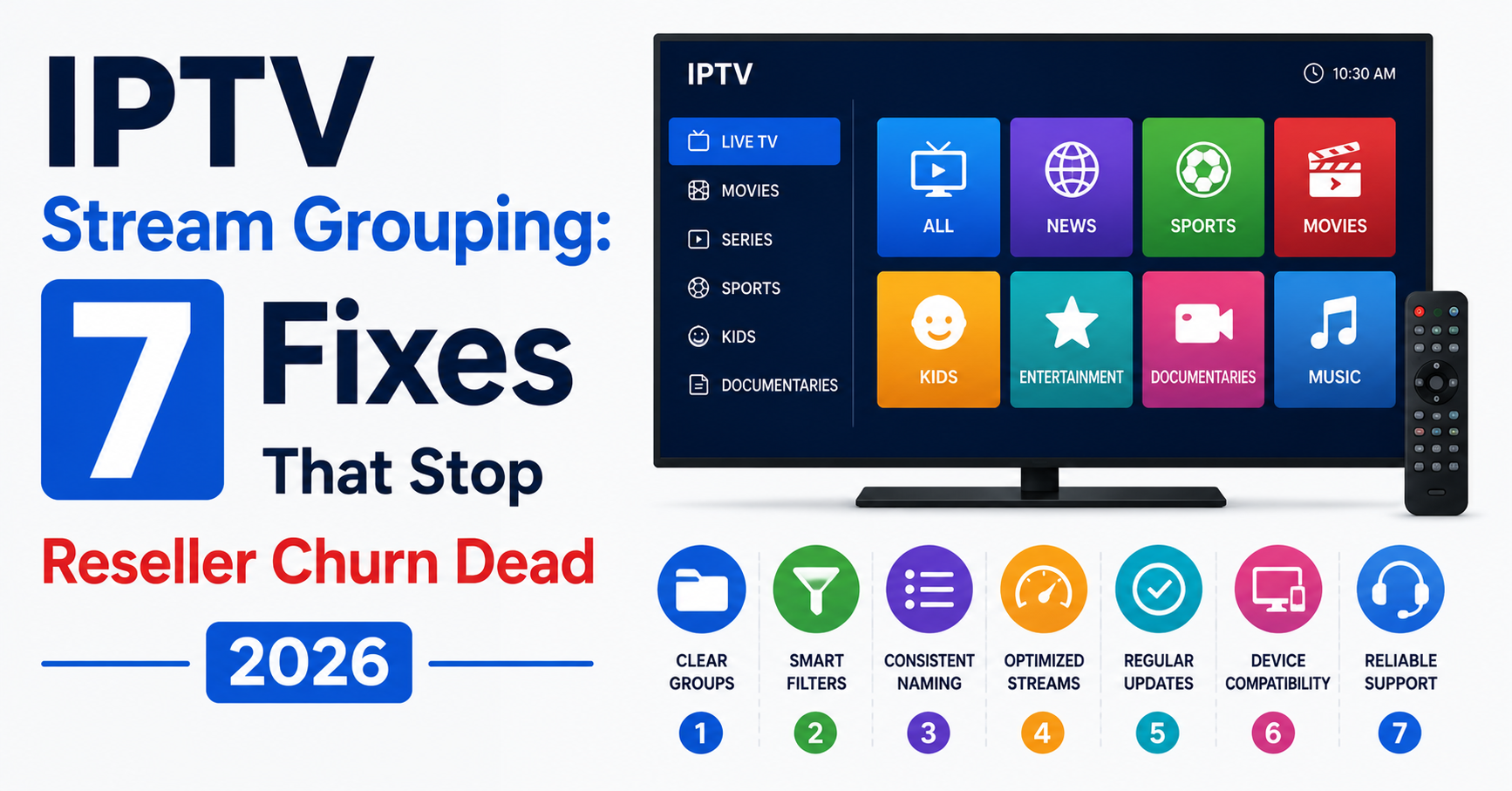
The moment a subscriber opens their player and sees 4,000 unsorted channels dumped into a single list, you’ve already lost them. They don’t complain. They don’t open a ticket. They just stop renewing. And you never know why, because your panel analytics only show “inactive.” That invisible churn? Nine times out of ten, it traces back to one neglected fundamental: stream grouping.
Most UK IPTV reseller guides skip this topic entirely or reduce it to a five-minute checkbox exercise. Create a few categories, drag some channels around, move on. But anyone who has managed a panel with more than 500 active lines knows the truth: stream grouping is structural. It touches load distribution, EPG mapping, playlist rendering speed, and ultimately, whether your subscribers feel like they’re using a premium service or a thrown-together operation.
This article breaks apart every layer of that problem. Not theory. Not recycled definitions. This is the operational reality of grouping streams properly across reseller tiers, device types, and regional bouquets, written for people who have actually logged into a panel at 2 AM because half their streams showed “No Signal.”
What IPTV Stream Grouping Actually Controls Behind the Panel
Table of Contents
ToggleMost IPTV resellers think of stream grouping as a cosmetic feature, a way to tidy up the channel list. That understanding is dangerously shallow. At the infrastructure level, grouping determines how your middleware parses and delivers playlist files to end devices. Every time a subscriber loads their app, the player requests an M3U or Xtream Codes API call that pulls group tags. Those tags dictate rendering order, EPG association, and in some configurations, which CDN edge node serves the content.
When groups are bloated or poorly segmented, that initial playlist pull takes longer. On lower-powered devices like older Firesticks or MAG boxes running limited firmware, this lag translates directly to a sluggish user experience. The subscriber doesn’t know it’s a grouping problem. They just think the service is slow.
Pro Tip: If your average playlist load time exceeds 4 seconds on a Firestick Lite, audit your group count first. Resellers running more than 40 groups with over 200 channels each are almost certainly hitting parsing bottlenecks, not bandwidth limits.
The Silent Revenue Leak: Why Bad IPTV Stream Grouping Drives Subscriber Churn
Here’s something no panel tutorial ever tells you. The number one reason casual household subscribers, families, parents buying for their living room, cancel within the first 30 days is not buffering. It’s confusion. They open the app, see a wall of unfamiliar categories, can’t find what they want within 15 seconds, and they’re gone.
Grouping is your storefront layout. A family subscriber in Birmingham doesn’t want to scroll past eight categories of foreign sports packages to find their local entertainment channels. A subscriber in Lahore doesn’t care about Scandinavian documentary groups sitting above their regional content.
The resellers who retain subscribers past the 90-day mark almost always have one thing in common: they’ve segmented their groups by actual user behaviour, not by how the provider’s default panel template shipped.
- Household subscribers need 6–10 clean groups maximum, labelled in plain language
- Sports-focused subscribers want dedicated league-specific groups, not a single “Sports” dumping ground
- VOD-heavy users should see series and movies separated by genre, not lumped under one catchall
Designing Regional Bouquets for Multi-Market Panels
If you’re serving subscribers across the UK, Europe, and South Asia from a single panel, your grouping architecture matters more than your server specs. A flat, universal group structure across all regions is the fastest way to bloat playlist files, confuse EPG alignment, and create maintenance nightmares when providers update their channel lineups.
The smarter approach is tiered regional bouquets. Each region gets its own parent group cluster: UK Entertainment, EU Sports, South Asian General. Within each cluster, sub-groups handle the granular sorting. This structure lets you assign bouquets per reseller tier, so a reseller serving only UK households doesn’t load 3,000 irrelevant Asian or European channels into their subscribers’ apps.
Here’s how the two approaches compare in practice:
| Approach | Playlist size | EPG load time | Subscriber clarity | Maintenance effort |
|---|---|---|---|---|
| Flat universal grouping | 80–120 MB | 8–14 seconds | Poor, scroll fatigue | High, every edit affects all |
| Tiered regional bouquets | 15–30 MB per region | 2–4 seconds | High, localised relevance | Moderate, scoped changes only |
Pro Tip: When building regional bouquets, always create a hidden “test” group per region. Load new or unstable streams there first. If they hold stable for 72 hours, migrate them into the live bouquet. This one habit alone cuts subscriber complaints from dead channels by roughly 40%.
EPG Mapping Failures That Start With IPTV Stream Grouping Mistakes
Here’s where most resellers get burned and never realise the root cause. EPG, the electronic programme guide, relies on channel IDs matching correctly between your stream source and your EPG provider. When your grouping structure is disorganised, channels frequently get duplicated across groups, renamed inconsistently, or placed in groups where the EPG provider can’t map them.
The result? Subscribers see “No Information Available” on half their channels. For a household user who just wants to check what’s on tonight, that’s a dealbreaker. They don’t file a support ticket about EPG. They just assume the service is broken.
Fixing this requires discipline at the grouping level:
- Every channel within a group must use a standardised naming convention that matches your EPG source’s ID format
- Duplicate channels across multiple groups must share the same stream ID, not be treated as separate entries
- When you add a new group, cross-reference its channel list against your EPG provider’s supported IDs before making it live
Grouping and EPG accuracy are not separate tasks. They’re the same workflow, and resellers who treat them independently end up chasing ghost bugs for weeks.
Load Balancing Implications of IPTV Stream Grouping Architecture
This is the infrastructure angle that separates hobbyist resellers from operators running 1,000+ active lines. Your grouping layout doesn’t just affect the subscriber’s interface. It affects how your backend distributes load across origin and edge servers.
When a disproportionate number of subscribers are concentrated in a single popular group, say, a premium sports group during a major match, your panel’s API processes a massive spike of concurrent playlist requests all targeting the same stream cluster. If your load balancer isn’t aware of group-level demand patterns, it routes all those requests to the same origin server. That server chokes. HLS latency spikes. Buffering begins. And your support channels explode.
The fix is architectural. Structure your groups so that high-demand content is spread across multiple server pools. Some advanced panels allow you to assign specific groups to specific server clusters. If yours doesn’t, you can achieve a similar effect by splitting a high-traffic group into sub-groups served from different uplink sources.
Pro Tip: Before any major sporting event, clone your top sports group onto a secondary backup uplink server. If your primary goes down, and during peak events, it will eventually, you switch the DNS pointer for that group within minutes instead of scrambling for a full server migration.
Panel Credit Economics and How IPTV Stream Grouping Affects Reseller Margins
Every panel credit you issue to a sub-reseller carries a cost tied to what that credit unlocks. If your grouping is structured as a single, all-access tier, you have zero pricing flexibility. Every subscriber gets everything, and your margins stay flat regardless of how much content they actually use.
The resellers who build sustainable income segment their groups into commercial tiers:
- Basic Tier: Local entertainment + limited sports (low credit cost)
- Standard Tier: Multi-region entertainment + full sports groups (mid credit cost)
- Premium Tier: Full bouquet including PPV event groups and 4K streams (highest credit cost)
This isn’t just about upselling. It’s about aligning your infrastructure costs with your revenue. A subscriber on the basic tier consumes less bandwidth, generates fewer API calls, and puts less strain on your servers. Your per-subscriber margin on that tier is actually higher than on premium, until you factor in churn rates, which tend to be lower on premium because those subscribers are more invested.
The point is this: grouping is a pricing architecture decision, not just a UI decision. If your groups don’t map to commercial tiers, you’re leaving margin on the table.
How 2026 ISP Blocking Flags Your Grouping Patterns
Let’s talk about the enforcement side, because in 2026, AI-driven ISP blocking has fundamentally changed how detection works. ISPs no longer just target known server IPs. They analyse traffic patterns, and grouping behaviour creates detectable signatures.
When a subscriber’s device requests channels in rapid sequence from the same group (channel surfing), it generates a burst of short-lived HLS segment requests to clustered endpoints. To a pattern-matching algorithm, that burst looks distinct from standard streaming behaviour. It’s one of the newer vectors that ISPs in the UK and parts of Europe use for DNS poisoning and deep packet inspection triggers.
Resellers can mitigate this at the grouping level:
- Distribute streams within each group across multiple CDN endpoints rather than clustering them on a single origin
- Implement stream request throttling at the panel level, a 1–2 second delay between channel switches within the same group reduces burst signatures
- Rotate CDN assignments for groups monthly to avoid static endpoint fingerprinting
Pro Tip: If you notice a sudden spike in “stream unavailable” errors concentrated in one group but not others, don’t assume it’s a server issue. Check whether that group’s CDN endpoints have been DNS-poisoned. A quick nslookup test from a subscriber’s reported ISP will confirm it faster than any panel diagnostic.
Device-Specific IPTV Stream Grouping: One Size Wrecks Everything
A mistake that costs UK IPTV resellers more support hours than almost anything else: delivering the same grouping layout to every device type. A subscriber on a Smart TV running Smart IPTV processes groups differently than someone on TiviMate on an Android box, who in turn behaves differently from a user on an iPhone running GSE Smart IPTV.
Each player app handles M3U group tags, Xtream Codes categories, and EPG overlays with its own quirks. TiviMate, for instance, lets users re-sort groups locally, so a cluttered default layout is less fatal there. But MAG box firmware renders groups in a fixed order with no client-side customisation. If your default grouping puts irrelevant content at the top for MAG users, those subscribers suffer every single session.
The operational answer is device-aware bouquets:
- MAG-targeted lines get a stripped-down group list, 15 groups maximum, highest-demand content first
- Android/TiviMate lines can afford a richer group structure since the app supports local sorting and favourites
- iOS lines should prioritise VOD grouping since mobile users skew toward on-demand content over live TV
Keeping Your Panel’s Database Fast As You Scale Your Groups
When you cross 500 active lines, your panel’s database starts feeling the weight of every poorly optimised group. Each group entry, with its associated channels, stream IDs, EPG mappings, and bouquet assignments, adds rows to queries that fire every time a subscriber’s app checks in. At scale, a bloated group structure doesn’t just slow down subscriber-facing performance, it slows down your admin panel itself.
Resellers who’ve hit 2,000+ lines know this pain. Panel pages that took 2 seconds to load now take 12. Batch edits to group assignments time out. Credit allocation lags behind because the panel is choking on background queries tied to oversized group tables.
The discipline required here is pruning:
- Audit group usage monthly, if a group has fewer than 50 active viewers across all lines, merge it into a parent group or retire it
- Avoid creating one-off groups for niche content that only 3% of subscribers watch
- Use your panel’s stream activity logs to identify dead channels within groups and purge them rather than letting them accumulate
Here’s a rough guide for how many groups make sense at each panel size:
| Panel size | Recommended max groups | Max channels per group | Database query impact |
|---|---|---|---|
| Under 200 lines | 30–40 | 250 | Negligible |
| 200–1,000 lines | 25–35 | 200 | Moderate, monthly audits needed |
| 1,000–5,000 lines | 20–30 | 150 | Significant, weekly audits recommended |
| 5,000+ lines | 15–25 | 120 | Critical, automated pruning essential |
Backup Uplink Strategy Tied to IPTV Stream Grouping
A single-uplink setup is a ticking clock. Every reseller who’s been in this space longer than six months has a story about losing their primary source mid-evening, during peak hours, with no failover in place. The relationship between backup uplinks and grouping is direct: your backup source’s channel lineup rarely mirrors your primary’s exactly. Group structures, channel names, stream IDs, they all differ.
If you haven’t pre-mapped your backup uplink’s channels into your existing group template, a failover event means hours of manual re-sorting while your subscribers sit on black screens. The preparation work is unglamorous but non-negotiable:
Maintain a shadow group map that mirrors your live structure but points to backup uplink streams
Test the shadow map monthly by activating it on a handful of test lines
Document every channel ID mismatch between primary and backup sources so the switchover is a copy-paste operation, not a research project
Pro Tip: The resellers who survive source outages without losing subscribers are the ones who can switch their entire group structure to a backup uplink in under 20 minutes. If your switchover takes longer than that, your preparation isn’t finished.
FAQ
How often should I restructure my IPTV stream grouping layout?
A full restructure every quarter works for most panels, with minor adjustments monthly. Subscriber viewing patterns shift seasonally, sports groups need expansion during tournament months, while entertainment groups see more traffic during holidays. Monitor your panel’s stream activity reports and let actual usage data drive changes rather than guessing.
Does IPTV stream grouping affect buffering or is that purely a server issue?
Grouping itself doesn’t cause buffering, but it contributes indirectly. Poorly structured grouping can overload specific server clusters during peak demand if high-traffic channels are concentrated in one group served by a single origin. Distributing popular streams across multiple server pools through smart grouping reduces these bottlenecks significantly.
Can I use the same IPTV stream grouping structure for all my reseller tiers?
You can, but you shouldn’t. Uniform grouping eliminates your ability to create tiered pricing, wastes bandwidth on subscribers who don’t need full bouquets, and increases playlist file sizes unnecessarily. Segment groups into tiers so each reseller level only loads what their subscribers actually pay for.
What is the ideal number of groups for a household subscriber?
Between 6 and 12 clearly labelled groups. Household users, families, casual viewers, want simplicity above all else. More than 12 groups causes scroll fatigue on most player apps, and subscribers stop exploring content they can’t find quickly. Fewer groups with well-curated content always outperform bloated lists.
How does IPTV stream grouping interact with EPG providers?
Every channel inside a group must carry a stream ID that matches your EPG provider’s reference database. When grouping is disorganised, duplicate entries, inconsistent naming, orphaned channels, EPG mapping breaks silently. Subscribers see blank programme guides and assume the service is faulty, which accelerates churn without generating a single support ticket.
Is IPTV stream grouping relevant if I only serve one country?
Absolutely. Even within a single market, subscribers have different content priorities. A UK-only panel still benefits from separating entertainment, sports, kids’ content, news, and VOD into distinct groups. Single-country doesn’t mean single-interest, and lazy grouping in a mono-market panel is still a churn driver.
Can AI-based ISP detection identify my panel through IPTV stream grouping patterns?
Not through grouping metadata directly, but through the traffic patterns grouping creates. Rapid channel switching within a single group generates burst request signatures that pattern-matching algorithms flag. Smart group design, distributing streams across multiple CDN endpoints and throttling inter-channel request rates, reduces these detectable footprints.
What happens to my IPTV stream grouping during an uplink failover?
If you haven’t pre-mapped your backup source’s channels into your existing group structure, failover becomes a manual scramble that can take hours. Your backup uplink’s channel IDs, names, and stream URLs rarely match your primary. Maintaining a shadow group map that mirrors your live structure but points to backup streams turns a potential disaster into a 15-minute switchover.
Your Grouping Optimisation Checklist
- Audit your current grouping structure against actual subscriber viewing data, remove any group with under 50 active viewers across all lines
- Build tiered bouquets (Basic, Standard, Premium) mapped to distinct credit pricing levels so every group structure corresponds to a revenue tier
- Create device-specific group templates, stripped-down for MAG boxes, enriched for TiviMate, VOD-heavy for iOS, and assign them per line type
- Cross-reference every channel in every group against your EPG provider’s ID database and fix naming mismatches before they become invisible churn drivers
- Set up a shadow group map pointing to your backup uplink and test failover on 5–10 test lines monthly until switchover takes under 20 minutes
- Distribute high-demand streams within popular groups across at least two CDN endpoints to prevent single-origin overload during peak events
- Implement a 72-hour quarantine group for new or unstable streams before migrating them into live subscriber-facing bouquets
- Schedule quarterly full group restructures and monthly pruning passes to keep playlist sizes lean and panel database queries fast
- Review your grouping against ISP detection patterns, rotate CDN assignments, throttle inter-channel request bursts, and avoid static endpoint clustering
Start building your IPTV panel with properly structured stream grouping today at britishreseller.com, where infrastructure-first operators scale without the guesswork.