Nobody cancels a subscription because the picture quality dropped by 3%. They cancel because they pressed the guide button and saw a blank grid. That’s the cold truth about EPG for IPTV, it’s the single most visible feature on a subscriber’s screen, and the one most resellers treat as an afterthought.
EPG for IPTV isn’t decoration. It’s the interface layer between your subscriber and every channel you provide. When it works, nobody mentions it. When it breaks, your support queue explodes within the hour. And yet, most reseller training skips right past electronic programme guide management like it doesn’t exist.
This guide is built from the operator’s side of the desk, from late-night server migrations, from debugging misaligned time zones across three continents, and from watching churn rates halve after finally getting the guide data right. If you run a IPTV reseller panel, manage sub-resellers, or provide IPTV to households, this is the resource you didn’t know you were missing.
What EPG for IPTV Actually Does Behind the Interface
Table of Contents
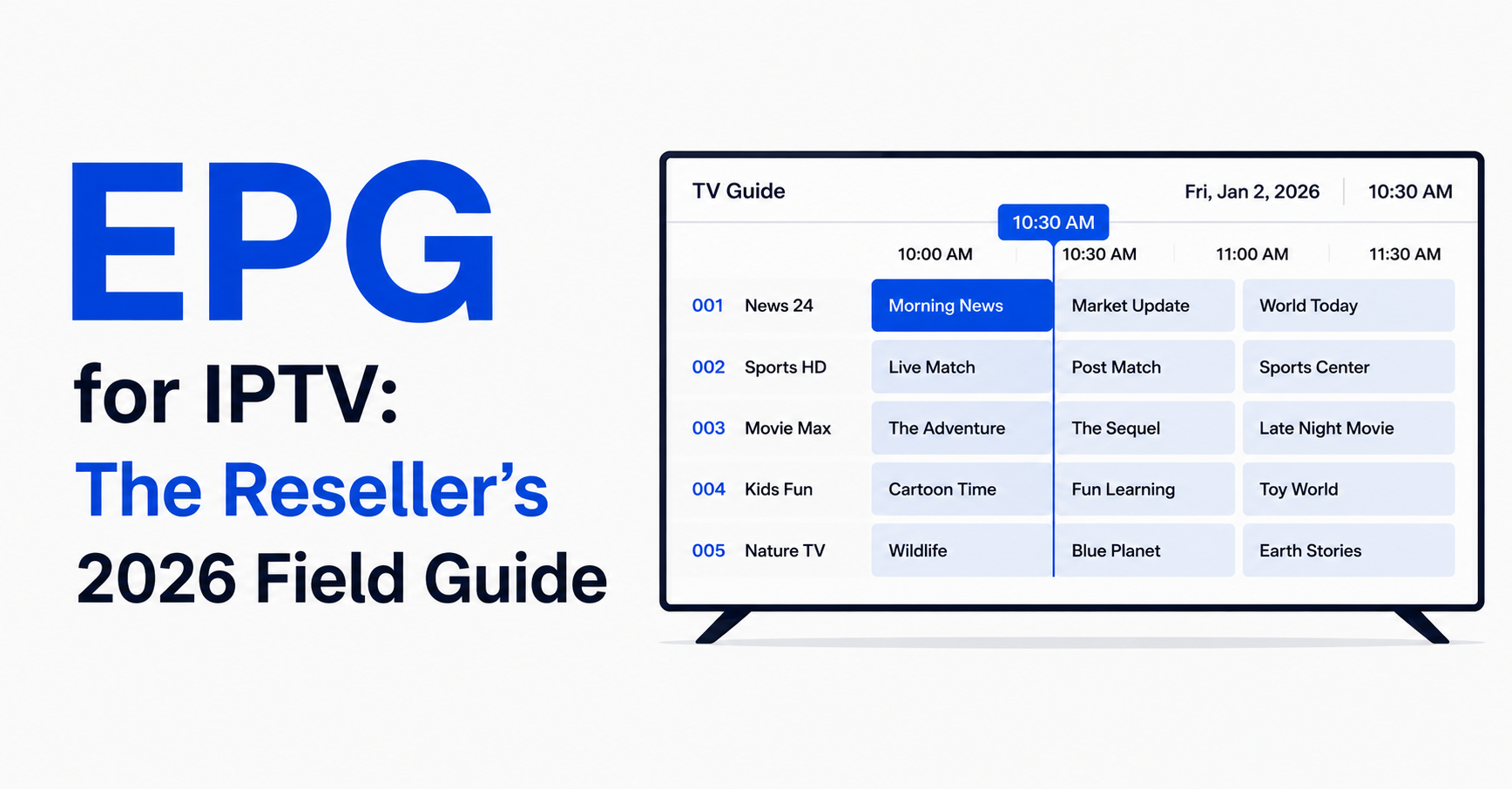
ToggleMost subscribers think of the programme guide as a simple TV schedule. It’s not. EPG for IPTV is a structured data feed, typically delivered in XMLTV format, that maps programme titles, start times, end times, descriptions, and sometimes thumbnail artwork against specific channel identifiers in your playlist.
Your IPTV middleware or player app parses this XML data, matches it to the correct channel by tvg-id or channel number, then renders it on-screen. When any part of that chain breaks, a mismatched ID, a stale XML file, a timezone offset, the subscriber sees either blank slots or programmes that don’t correspond to what’s actually airing.
Pro Tip: The most common EPG failure isn’t a dead feed, it’s a tvg-id mismatch between your playlist file and the EPG source. One typo in a single M3U line, and that channel shows no guide data at all. Audit your tvg-id mappings monthly.
Here’s where it matters commercially: households judge the professionalism of a service by its guide. A subscriber flipping through channels and seeing “No information available” across half the grid will assume your entire operation is unreliable. EPG for IPTV is your shop window, whether you built it that way or not.
Why Blank EPG Slots Drive More Cancellations Than Buffering
There’s a psychological dimension to this that most UK IPTV resellers miss entirely. Buffering is perceived as a network issue, subscribers blame their own broadband half the time. But a broken programme guide? That feels like the service itself is broken.
When a household user opens the guide and sees accurate programme data with descriptions and timing, they feel confident. They plan their evening around it. They trust the service. EPG for IPTV creates what retention specialists call “habitual engagement,” the subscriber builds routines around the guide, and routines create stickiness.
A subscriber who uses the guide daily is 3x less likely to cancel than one who channel-surfs manually
Families with children use the EPG to schedule viewing, making it a household utility
Sub-resellers receive fewer support tickets when EPG data is accurate and current
Now reverse that. Empty guide slots signal neglect. Misaligned times make the service feel amateur. And once a subscriber loses trust in the guide, they stop using it, which means they stop engaging deeply with the service altogether. The path from “broken EPG” to “cancelled subscription” is shorter than most operators realise.
XMLTV Feeds: Where Your Guide Data Actually Comes From
Every reliable EPG for IPTV setup starts with the feed source. XMLTV is the standard format, an XML file containing structured programme data that your panel or middleware ingests on a schedule. The quality of your EPG lives and dies with the quality of this feed.
There are broadly three tiers of XMLTV sources:
| Source type | Reliability | Coverage | Cost | Update frequency |
|---|---|---|---|---|
| Free community feeds | Low–Medium | Limited regions, gaps | Free | Irregular, often daily |
| Premium aggregator APIs | High | Multi-region, sports-rich | Monthly fee | Every 4–8 hours |
| Self-scraped / hybrid | Variable | Custom to your channel list | Dev time + hosting | As configured |
Free feeds are tempting, but they’re maintained by volunteers. They go down without warning, they miss niche channels, and they rarely cover premium sports streams with accurate kick-off times. If you’re running a serious reseller panel, the cost of a premium XMLTV aggregator pays for itself in reduced support tickets alone.
Pro Tip: Never rely on a single EPG source. Configure a primary and a fallback XMLTV feed in your panel. If the primary fails overnight, your subscribers still wake up to a populated guide. Redundancy in EPG for IPTV is just as critical as redundancy in your stream servers.
Self-scraping is an option for technically advanced operators, but it introduces maintenance overhead. Broadcaster schedules change format without warning, and a scraper that worked last month can silently break and feed stale data into your system for days before anyone notices.
Timezone Misalignment: The Silent EPG Killer
Here’s a scenario that plays out in reseller support channels every single week. A subscriber messages: “Your guide is wrong, it says the match starts at 8pm but it actually started at 7pm.” The reseller checks, and the EPG data is technically correct, for UTC. But the subscriber is in CET, and the player isn’t applying the offset.
Timezone handling in EPG for IPTV is deceptively complex. The XMLTV feed timestamps programmes in a specific timezone (often UTC). The IPTV player or middleware then needs to convert those timestamps to the subscriber’s local time. If the player doesn’t support automatic timezone detection, or if the feed uses a non-standard offset format, every single programme in the guide displays at the wrong time.
Always verify that your XMLTV feed includes explicit timezone offsets in the timestamp format (e.g., +0000, +0100)
Test EPG rendering across at least three timezone regions before pushing a new feed to production
During daylight saving transitions, manually verify that your feed source has updated, many don’t for 24 to 48 hours
Communicate timezone settings clearly to sub-resellers so they can advise their own subscribers
This single issue, timezone drift, generates more EPG-related complaints than dead feeds, missing channels, and artwork failures combined. And it’s entirely preventable with proper configuration.
Pro Tip: If your panel supports per-subscriber timezone settings, enable it and set the default to your largest subscriber region. One correct default eliminates 70% of timezone complaints overnight. EPG for IPTV accuracy is often just a configuration toggle away.
Mapping Channels to EPG Data Without Losing Your Mind
The mapping process is where most new resellers hit a wall. You’ve got a channel list, potentially hundreds or thousands of streams, and each one needs a corresponding tvg-id that matches an entry in your XMLTV feed. Get one wrong, and that channel shows a blank guide. Get fifty wrong, and your subscribers think the whole EPG is broken.
The problem scales with your channel count. A panel carrying 8,000+ channels across multiple countries and categories cannot be manually mapped one by one. This is where automation becomes essential, but automation has its own pitfalls.
Most modern IPTV reseller panels offer auto-mapping features that attempt to match channel names to EPG entries using fuzzy string matching. These tools work well for straightforward names but struggle with regional variants, HD/SD/FHD suffixes, and channels that have been renamed by the provider.
Here’s how the main mapping approaches stack up:
| Mapping approach | Speed | Accuracy | Best for |
|---|---|---|---|
| Manual one-by-one | Very slow | Highest | Small, curated playlists |
| Panel auto-map | Fast | 60–75% | Bulk initial mapping |
| Auto-map + manual review | Moderate | 90%+ | Production-ready panels |
| Custom script (regex-based) | Fast after setup | 85–95% | Operators with dev skills |
The smart workflow: run the auto-mapper first, then export the unmapped channels, manually fix the mismatches, and re-import. Schedule a monthly review because channel names and EPG source IDs drift over time.
How Guide Quality Shapes Your Panel Credit Value and Margins
This is the business angle that separates casual resellers from operators who actually scale. Panel credits, the currency your sub-resellers use to activate subscriptions, carry a perceived value. And that perception is tied directly to service quality, which includes EPG accuracy.
When your EPG for IPTV is clean, complete, and correctly timed, your sub-resellers can charge their end-users more confidently. They’re not selling “cheap IPTV,” they’re selling a service that looks and feels premium. The programme guide is the first thing a new subscriber interacts with after setup, and first impressions anchor price tolerance.
Conversely, a panel with broken EPG data forces sub-resellers to compete on price alone. They can’t justify premium credits when the guide looks half-finished. This creates a race to the bottom that compresses your margins and attracts bargain-hunters who churn at the first hiccup.
Pro Tip: When onboarding new sub-resellers, walk them through your EPG setup. Show them the coverage, the update frequency, the timezone handling. This isn’t just training, it’s a sales tool. A sub-reseller who understands the EPG infrastructure behind your panel becomes a more confident seller.
Your panel credit pricing should reflect the investment you make in EPG infrastructure. If you’re paying for a premium XMLTV feed, maintaining mapping accuracy, and running redundant update schedules, that operational cost justifies a higher credit price, and your sub-resellers should understand why.
Caching, Refresh Cycles, and Why Stale EPG Data Lingers
You’ve configured a quality XMLTV source. Your mappings are tight. Timezones are correct. And yet, a subscriber reports that yesterday’s programmes are still showing in the guide. Welcome to the caching problem.
EPG for IPTV data gets cached at multiple levels: the panel server, the middleware, the CDN (if you use one for playlist delivery), and the subscriber’s player app. Each layer can hold onto stale data independently.
Panel-level cache: Most panels store the parsed EPG in a database and refresh on a cron schedule. If your cron job fails silently, the database serves yesterday’s data indefinitely
Player-level cache: Apps like TiviMate and IPTV Smarters Pro cache the guide locally. Even after a server-side refresh, the subscriber may need to clear their app cache or wait for the next automatic pull
CDN-level cache: If your playlist URL passes through a CDN, ensure the EPG endpoint isn’t being aggressively cached with long TTL headers
The fix is layered. Set your panel’s EPG refresh cron to run every 6 to 8 hours minimum. Configure your XMLTV source to provide at least 48 hours of forward-looking data so there’s always a buffer. And advise sub-resellers to tell their subscribers how to force a guide refresh in their specific player app.
Pro Tip: After every EPG source change or major update, manually trigger a refresh and then test on at least two different player apps. What looks correct in your panel’s web interface may render differently on TiviMate versus Smarters Pro. Testing must happen at the endpoint, not just at the server.
ISP-Level Interference and EPG Delivery in 2026
Here’s a dimension that barely existed three years ago but now shapes every serious operator’s infrastructure decisions. ISPs in 2026 are using increasingly sophisticated deep packet inspection and DNS-level filtering. While the primary target is stream delivery, EPG-related traffic isn’t immune.
Your XMLTV feed is fetched via HTTP or HTTPS from an external source. If that source domain gets flagged, your panel’s cron job fails and no new EPG data arrives. Your streams might still work (especially if they’re on separate infrastructure), but the guide goes stale, creating a confusing experience where channels play but the EPG shows nothing or outdated data.
EPG for IPTV resilience in 2026 means:
Hosting a local mirror of your XMLTV data rather than fetching from a third-party URL at runtime
Using backup uplink servers that can pull EPG feeds through alternative routing if primary paths are blocked
Monitoring your EPG update logs for silent failures, a feed that returns a 200 OK but with an empty body is worse than a timeout, because your system thinks the update succeeded
Rotating EPG source domains periodically, just as you would rotate stream server hostnames
DNS poisoning is another real threat. If your panel resolves the EPG feed domain through a compromised or filtered DNS, it may pull from the wrong source entirely, or get an empty response. Use hardcoded IP addresses or DNS-over-HTTPS for critical EPG feed URLs.
Load Balancing EPG Requests Across a Growing Subscriber Base
When your panel serves 500 subscribers, EPG delivery is trivial. When it serves 15,000 across multiple sub-reseller operations, the maths changes dramatically. Every subscriber’s player app requests the EPG data on connection and at regular intervals. That’s thousands of concurrent XML parsing operations hitting your server.
EPG for IPTV at scale requires the same load balancing discipline you apply to stream servers. Except most resellers don’t think about it, because EPG traffic doesn’t produce visible buffering, it just silently slows down, times out, and leaves subscribers with empty guides.
Separate your EPG delivery from your stream server infrastructure, a stream server under load shouldn’t also be serving XML files
Use a lightweight caching reverse proxy (NGINX with microcaching) in front of your EPG endpoint
Pre-generate the EPG output per playlist type rather than building it dynamically on each request
If you serve multiple regions, segment your EPG delivery by geographic node to reduce latency
Here’s roughly how EPG architecture should scale with your subscriber count:
| Scale tier | Subscribers | Recommended EPG architecture |
|---|---|---|
| Starter | Under 1,000 | Single server, local XMLTV refresh |
| Mid-scale | 1,000–5,000 | Dedicated EPG server, NGINX cache |
| Large operation | 5,000–20,000 | Multiple EPG nodes, CDN-backed delivery |
| Enterprise | 20,000+ | Geo-distributed EPG with failover + monitoring |
HLS latency discussions usually focus on video segments, but EPG fetch latency matters too. A subscriber whose guide takes 15 seconds to populate on app launch perceives the service as slow, even if streams load instantly.
Artwork, Descriptions, and the EPG Details That Build Perceived Value
A populated guide with accurate times is the baseline. What separates a premium-feeling EPG service from a basic one is the richness of the data: programme descriptions, episode numbers, genre tags, and channel logos or programme artwork.
Most XMLTV feeds provide at minimum a title and time. Better feeds include a short description (the “plot” field), category tags, and sometimes thumbnail URLs. These extras aren’t cosmetic, they drive engagement.
A subscriber browsing the guide who sees “Movie: Action, A retired detective is pulled back into a conspiracy that threatens…” is more likely to stop and watch than one who sees just “Movie” with no description. EPG for IPTV, when fully populated, turns passive channel surfing into active, guided viewing.
Pro Tip: Channel logos (tvg-logo in your M3U) technically aren’t part of the EPG XML, but they render alongside it in the guide. Ensure every channel in your playlist has a working logo URL. A guide full of programme data but missing channel icons still looks unfinished. Host logos on your own CDN to prevent third-party link rot.
For resellers serving family households, descriptive EPG data also provides a layer of informal content filtering. Parents scanning the guide can make informed decisions about what to watch based on genre tags and descriptions rather than clicking into unknown channels.
Building an EPG Monitoring Routine That Catches Problems Before Subscribers Do
The resellers who retain subscribers long-term aren’t necessarily the ones with the most channels or the cheapest credits. They’re the ones who catch problems before the first complaint arrives. EPG monitoring is a discipline, not a one-time setup.
Your EPG monitoring checklist should include:
Daily automated check: Does the XMLTV cron job complete successfully? Parse the log for errors, empty responses, or timeout warnings
Weekly spot-check: Open a player app as a subscriber would and browse the guide across 5–10 random channels. Verify times, descriptions, and channel-to-EPG matching
Monthly full audit: Export your channel-to-tvg-id mapping and compare against the current EPG source. Flag any newly unmapped channels
Post-update verification: After any panel software update, EPG source change, or server migration, run a full guide test before re-enabling subscriber access
The operators who build these routines into their weekly workflow are the ones who scale past 10,000 subscribers without drowning in support tickets. EPG maintenance isn’t glamorous, but it’s the difference between a service that feels professionally managed and one that feels like it’s held together with tape.
Advanced EPG Tactics: Catch-Up Markers and Future-Proofing Your Guide
Forward-thinking operators in 2026 are using EPG data for more than just a static schedule grid. Catch-up TV functionality, where subscribers can watch programmes that aired in the past 24 to 72 hours, depends entirely on accurate EPG data to present a navigable archive.
If your panel supports catch-up and your EPG for IPTV data includes proper start/stop timestamps with programme IDs, the player can generate a clickable schedule of past programmes. This feature alone can be a significant selling point for household subscribers who miss live airings.
Verify that your XMLTV source provides retroactive programme data (not just forward-looking schedules)
Ensure catch-up stream URLs are correctly linked to EPG programme entries in your panel
Test catch-up playback across multiple player apps, some handle EPG-linked archives better than others
Looking further ahead, some panels are beginning to integrate EPG data with recommendation engines and search functionality. A subscriber typing “football” into a search bar and seeing upcoming matches pulled from EPG data is a far more engaging experience than scrolling through channel numbers.
Pro Tip: If you’re not offering catch-up as a feature yet, start building the EPG infrastructure for it now. Ensure your XML feeds carry the data fields required (programme IDs, accurate timestamps, descriptions). When you do enable catch-up, the groundwork will already be in place.
FAQ
What exactly is EPG for IPTV and why does it matter?
EPG for IPTV is the electronic programme guide that displays channel schedules, programme titles, timings, and descriptions inside a subscriber’s player app. It matters because it’s the primary interface subscribers interact with daily. A broken or empty guide creates an immediate perception of low quality and directly increases cancellation rates, even when streams themselves work perfectly.
How often should I refresh my EPG data?
Refresh your XMLTV feed every 6 to 8 hours at minimum. More frequent refreshes (every 4 hours) are advisable during periods with heavy live sports scheduling. Always ensure your feed provides at least 48 hours of forward-looking data so that brief refresh failures don’t leave subscribers with an empty guide.
Can I use free XMLTV sources for a professional reseller panel?
Free sources work for testing or very small operations, but they lack reliability and coverage for production use. They’re maintained by volunteers, go offline without notice, and rarely cover premium sports streams accurately. A paid XMLTV aggregator typically costs less per month than the revenue you lose from a single churned subscriber.
Why does my EPG show the wrong times for some subscribers?
This is almost always a timezone offset issue. Your XMLTV feed timestamps programmes in one timezone (usually UTC), and the subscriber’s player app needs to convert that to local time. If the feed omits explicit timezone offsets or the player doesn’t detect the subscriber’s region, times display incorrectly. Check your feed’s timestamp format and your panel’s default timezone setting.
How do I fix channels that show “No information available” in the guide?
The most common cause is a tvg-id mismatch between your M3U playlist and the XMLTV feed. Export your channel list, compare each channel’s tvg-id against the EPG source’s channel identifiers, and correct any mismatches. After fixing, trigger a manual EPG refresh and clear the player cache to verify the fix.
Does EPG for IPTV affect my reseller panel’s server performance?
Yes, at scale. Every subscriber connection triggers an EPG data request. Panels serving thousands of subscribers should separate EPG delivery from stream servers, use NGINX caching, and pre-generate EPG output per playlist type rather than building it dynamically per request. Ignoring EPG load is a common cause of slow guide population on app launch.
Is it possible to add programme artwork and descriptions to my EPG?
It depends on your XMLTV source. Premium feeds include descriptions, genre tags, and sometimes thumbnail URLs. Your player app must also support rendering this data. Channel logos are handled separately via tvg-logo attributes in your M3U file, host these on your own CDN to prevent broken images from third-party link rot.
How does ISP blocking affect EPG for IPTV in 2026?
ISPs using deep packet inspection and DNS filtering can block the domains hosting your XMLTV feeds, causing silent update failures. Your streams may still work while the guide goes stale. Mitigate this by hosting a local EPG mirror, using DNS-over-HTTPS for feed URLs, monitoring update logs for empty responses, and rotating source domains periodically.
Your Guide Management Success Checklist
Secure a premium XMLTV feed with multi-region coverage and minimum 48-hour forward data, free feeds are for testing, not production
Audit every channel’s tvg-id mapping against your EPG source and schedule monthly re-audits to catch drift
Configure a primary and fallback EPG feed in your panel so a single source failure never leaves subscribers with blank guides
Set your EPG refresh cron to run every 6–8 hours and monitor logs for silent failures (empty 200 responses, timeouts)
Test timezone rendering across your top three subscriber regions before pushing any feed change to production
Separate EPG delivery infrastructure from stream servers, use NGINX microcaching once you pass 1,000 active subscribers
Host channel logos on your own CDN to prevent third-party link rot degrading the guide appearance
Brief every new sub-reseller on your EPG setup, update cycles, and how to instruct subscribers to clear player cache
Build a weekly EPG spot-check into your operations routine, open a player, browse 10 random channels, verify data accuracy
Start building catch-up TV EPG infrastructure now, even if you haven’t enabled the feature yet, the groundwork pays off at scale
Explore the IPTV reseller panel tools at britishseller.co.uk to streamline your EPG management alongside credit distribution and subscriber onboarding.