
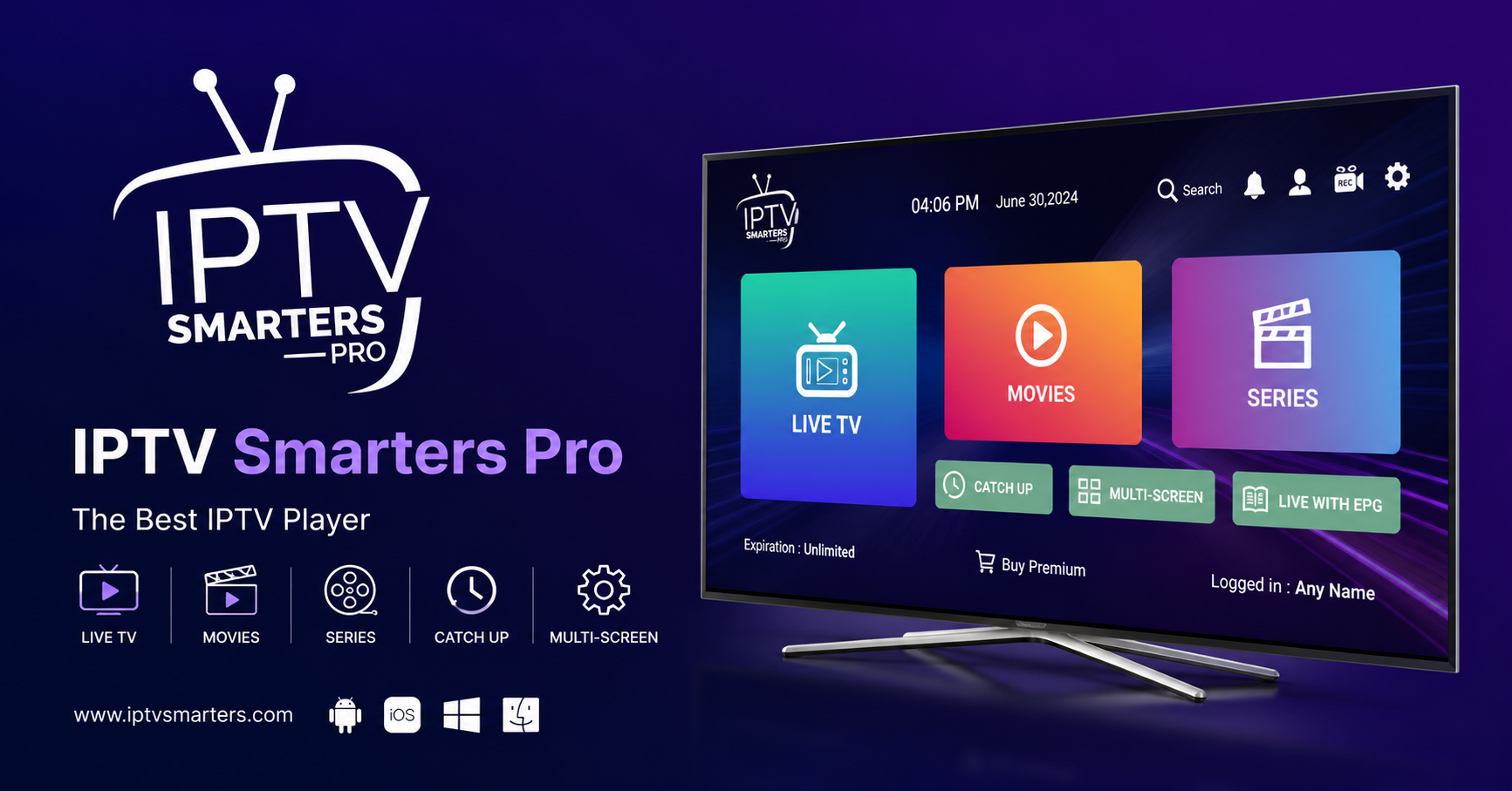
Most articles about IPTV Smarters Pro treat it like a casual streaming app, something you download, plug in a playlist, and forget about. If you’re a reseller managing dozens or hundreds of active lines, that mindset will cost you clients. Fast.
IPTV Smarters Pro is the most widely deployed player interface in the reseller ecosystem right now. That popularity is a double-edged blade. It means your customers already know it, trust it, and expect it to work flawlessly the moment they enter their credentials. It also means every ISP running deep packet inspection in 2026 knows exactly what traffic fingerprint to target.
This guide is written for people operating in the real world, managing panels, absorbing chargebacks when streams drop during match day, and trying to scale without their supplier quietly throttling their lines. Whether you’re onboarding your first ten clients or troubleshooting a 500-line operation, the sections below will give you something actionable every time.
Why IPTV Smarters Pro Dominates the Player Market (And Why That Creates Problems)
There’s a reason the majority of UK and European IPTV reseller Panel point their customers toward IPTV Smarters Pro over other players. The UI is clean, multi-screen support is built in, the EPG loads reliably on most panel setups, and it handles both M3U and Xtream Codes API login, which makes panel credit systems compatible out of the box.
But dominance creates a target.
In 2026, major broadcasters and their enforcement partners have become significantly more sophisticated at identifying IPTV traffic patterns at the network level. IPTV Smarters Pro uses recognisable HTTP request headers and connection behaviour. ISPs under pressure from rights holders have started flagging accounts generating consistent traffic matching this fingerprint, particularly during live sports windows.
This doesn’t mean abandon the app. It means understand the exposure, and set up your infrastructure accordingly.
Pro Tip: If your panel’s server is shared with hundreds of other resellers on the same IP block, your clients on IPTV Smarters Pro are indirectly inheriting the ban risk of every other reseller on that node. Always ask your supplier how many concurrent users share each uplink.
Getting the Panel Side Right Before Customers Ever Open the App
Most reseller guides focus on the client-side configuration. That’s backwards. The quality of the IPTV Smarters Pro experience your customers get is determined 80% by what happens before they even open the app.
Here’s what actually matters at the panel level:
Xtream Codes API vs M3U: Which Should You Provide?
Always push clients toward the Xtream Codes API login method inside IPTV Smarters Pro rather than M3U URLs. Here’s why: M3U playlists generate a full playlist pull every time the app refreshes, which hammers your server connections unnecessarily. Xtream Codes API streams content on demand. On a 200-line panel, this difference in connection efficiency is the difference between stable streams and a buffering wave at 7:45pm on a Saturday.
Channel List Organisation and HLS Latency
IPTV Smarters Pro displays your channel list exactly as it’s structured in your panel. Resellers who don’t sort their category lists create confusion that generates support tickets. A disorganised channel list translates directly into customer churn, people assume the service is broken when they can’t find what they want.
HLS latency inside IPTV Smarters Pro is also something resellers rarely discuss openly. If your panel’s server is geographically distant from your customers, you’re adding transcoding delay on top of delivery delay. UK customers connecting to panels hosted outside Europe will consistently see 10 to 15 second latency increases during peak load.
Pro Tip: Test your own panel through IPTV Smarters Pro from a residential UK IP on a Friday evening. That experience is exactly what your customers are getting. If you’re satisfied, your infrastructure is solid. If not, the problem isn’t the app, it’s the setup behind it.
The ISP Blocking Reality in 2026: What IPTV Smarters Pro Users Face
Here’s how the main threat types map to risk in 2026:
| Threat type | How it affects IPTV Smarters Pro | Risk level (2026) |
|---|---|---|
| DNS poisoning | Breaks M3U URL resolution silently | High |
| Deep packet inspection | Flags Smarters traffic during live sport events | High |
| Port-level throttling | Reduces stream quality without full block | Medium |
| IP reputation blocking | Targets shared panel server IPs | High |
| App-level detection | Less common but increasing on mobile networks | Low to medium |
DNS poisoning deserves particular attention. When an ISP poisons the DNS resolution for your panel’s domain, IPTV Smarters Pro doesn’t throw an obvious error, it just fails to load streams, or loads them and cuts out mid-content. Customers blame the service. You lose the line.
The fix is straightforward but many resellers never implement it: instruct customers to manually set DNS on their router to a non-ISP resolver. This single step eliminates a meaningful percentage of unexplained drop complaints that resellers attribute to server issues.
For deeper blocks, the solution sits at the infrastructure level, not the app level. A supplier running backup uplink servers with automatic failover will recover stream connectivity before your customer even notices a disruption. Without backup uplinks, one targeted block means every client on that server loses service simultaneously.
Load Balancing and What It Actually Means for Your IPTV Smarters Pro Lines
The phrase “load balanced servers” gets thrown around by every panel supplier. Very few resellers actually pressure-test what it means.
Load balancing in an IPTV context is the distribution of concurrent stream requests across multiple server nodes so no single point handles more simultaneous connections than it can deliver at quality. When load balancing is working correctly, IPTV Smarters Pro users see no buffering even during peak demand windows, major sport finals, primetime drama, live events.
When it’s broken or oversold, you see this:
- Buffering that starts precisely at peak hours (7 to 10pm)
- Streams that work on one device but fail on another simultaneously
- EPG data loading slowly or not at all inside IPTV Smarters Pro
- Reconnection loops on channel change
These symptoms point to a server-side capacity problem, not a client configuration issue. If your supplier can’t explain their load balancing architecture in specific terms, number of nodes, automatic failover triggers, geographic distribution, assume it doesn’t exist.
Pro Tip: A supplier who offers reseller panel credits but can’t describe their backup server setup is running a single-node operation with a professional website. Budget for this accordingly, and don’t build a customer base on infrastructure you can’t verify.
How Panel Credit Models Actually Affect Your Margins
This is the part most reseller articles skip entirely because it requires thinking about margin, not just markup.
IPTV Smarters Pro is the delivery layer. The iptv credit system on your panel is the business engine. Understanding how credit depletion, line renewals, and supplier pricing tiers interact will determine whether you’re actually profitable at scale or just generating revenue.
Most panels operate on a credit-per-line-per-month model. As a reseller, you buy credits in bulk at wholesale rates and sell individual lines at retail. The margin sits in the gap.
Where resellers consistently lose money:
Refund pressure from buffering complaints: if your supplier’s infrastructure is unreliable and you’re absorbing chargebacks or goodwill credits to retain customers, your margin collapses. A panel that delivers through IPTV Smarters Pro without complaints is worth paying a premium for.
Dead lines burning credits: credits assigned to inactive customers continue depleting unless your panel allows you to pause or reclaim them. Audit your active line count monthly.
Underselling the multi-connection value: IPTV Smarters Pro supports multiple simultaneous streams per subscription. Customers who understand this value are significantly less price-sensitive. Selling a “family plan” framing at a higher credit tier retains better than selling cheap single-line accounts.
Device Compatibility: Where IPTV Smarters Pro Actually Works in 2026
Here’s how support actually breaks down by device type:
| Device type | IPTV Smarters Pro support | Reseller notes |
|---|---|---|
| Android TV / Fire Stick | Full support, most stable | Recommend to all customers |
| iOS (iPhone/iPad) | Available, some EPG limitations | Advise customers on EPG config |
| Android phone/tablet | Full support | Good for testing lines |
| Samsung/LG Smart TV | Via browser or sideload workarounds | Not reliable, manage expectations |
| Windows PC | Full support via desktop version | Good secondary screen option |
| MAG Box | Separate player, not Smarters | Switch to Smarters for better stability |
Samsung and LG Smart TV compatibility is where most UK IPTV reseller support headaches originate. IPTV Smarters Pro isn’t natively available on Tizen or WebOS in 2026 in a fully stable form. Customers who buy a line expecting to watch on their Smart TV without any additional hardware will be disappointed. Set this expectation upfront or sell them a Fire Stick alongside the subscription.
Pro Tip: When onboarding new customers, always ask what device they intend to use before they pay. Sending the wrong setup guide wastes both parties’ time and damages trust before the service even starts.
Scaling Your IPTV Smarters Pro Reseller Operation Past 100 Lines
Getting to 50 lines as an IPTV reseller is mostly a sales and credibility problem. Getting from 50 to 300 is an infrastructure and operations problem. Most resellers hit a ceiling here because they’re still running the business the same way they were at 10 lines.
At scale, the manual processes that worked early become liabilities:
Customer onboarding still done manually? At 100+ lines, a standardised setup guide for IPTV Smarters Pro, specific to each device type, eliminates 60 to 70% of inbound support messages. Create it once, send it automatically.
No backup supplier? When your primary panel supplier goes down, and they will, you need to be able to migrate your customers to an alternative panel, reconfigure their IPTV Smarters Pro credentials, and communicate the change professionally within hours. Resellers without a backup supplier lose customers permanently when this happens.
Renewals tracked manually? Missed renewals mean lines expire unexpectedly. Customers whose IPTV Smarters Pro stops working without warning will cancel, not renew. A simple spreadsheet with expiry dates and reminder triggers prevents this entirely.
Scaling also means becoming deliberate about which customers you retain. A customer who raises three support tickets per month, demands refunds during planned maintenance, and pays late is consuming margin disproportionate to their revenue. At scale, you have enough volume to make these decisions clearly.
The Honest Way to Diagnose a Buffering Complaint
When a customer reports buffering on IPTV Smarters Pro, the instinct is to blame the server. That’s accurate less often than resellers think.
Run through this before escalating to your supplier:
Internet speed at customer location: IPTV Smarters Pro requires a minimum stable 25 Mbps for HD. During peak hours, many residential connections drop below this without customers realising it.
Router placement and Wi-Fi congestion: wireless connections introduce packet loss that reads as buffering. A wired Ethernet connection to Fire Stick or Android Box eliminates this variable completely.
VPN interference: some customers run VPNs that route IPTV traffic inefficiently, inflating latency beyond usable thresholds.
App cache buildup: IPTV Smarters Pro accumulates cached data that can degrade performance over time. A periodic cache clear resolves this category of complaint entirely.
Panel server load at time of complaint: note the exact time of every buffering complaint. If they cluster at 8pm Saturday, it’s a supplier capacity issue. If they’re random and device-specific, it’s local.
Only after eliminating local factors is it worth escalating to your panel supplier. When you do escalate, bring specific timestamps and affected channel types, sports, news, VOD, because the technical team can cross-reference server logs against that window.
Reseller Success Checklist: Running IPTV Smarters Pro Operations in 2026
Before you take on another customer, verify these are in place:
- Panel tested through IPTV Smarters Pro from a UK residential IP during peak hours
- Xtream Codes API credentials, not M3U, provided to all customers
- Device-specific setup guides written and ready to send
- DNS bypass instructions included in every onboarding message
- Backup panel supplier identified and credit account active
- Customer DNS set to non-ISP resolver (reduces silent block complaints)
- Monthly line audit scheduled to reclaim expired credits
- Buffering triage process documented so you stop absorbing blame for client-side issues
- Multi-connection upsell framing prepared for family plan customers
- Renewal tracking system live, spreadsheet minimum, CRM preferred
IPTV Smarters Pro is the most visible part of the experience your customers have. But the UK IPTV resellers who actually build sustainable, growing operations understand that the app is just the front window. Everything behind it, the panel credits, the server infrastructure, the supplier relationships, the support workflow, determines whether the business survives past the first few months or quietly collapses under its own customer base.
Run it like an operator.



