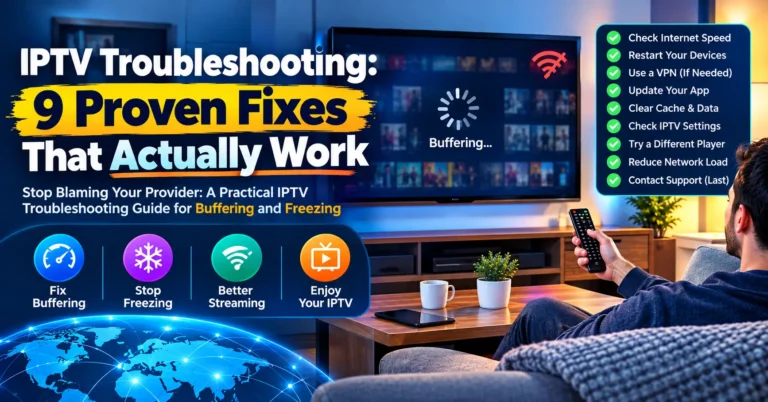
Nobody ever cancelled a subscription because the EPG loaded slowly. They cancel because the stream froze during a penalty shootout, a title fight, or the season finale their entire household was watching together. That freeze, three seconds, five seconds, sometimes a full minute of spinning wheel, is the single most expensive problem in the IPTV reseller business. And yet most operators treat it like a mystery instead of a mechanical failure with identifiable, fixable causes.
This is your field manual for solving IPTV buffering for good. Not theory. Not recycled advice about “checking your internet speed.” This is what actually works when your panel lights up with complaints at 8pm on a Saturday and your subscriber count starts bleeding.
Every real fix starts with a question most UK IPTV reseller never ask: where, exactly, is the bottleneck? Because buffering is not one problem. It is a chain of potential failures stretching from the source server to the subscriber’s screen, and unless you can isolate which link snapped, you are guessing. Guessing costs you subscribers.
What Actually Causes IPTV Buffering in 2026
The landscape has shifted. Three years ago, most buffering complaints traced back to underpowered servers or cheap hosting. That is still a factor, but the 2026 picture is more complicated. AI-driven ISP throttling has matured. Major UK and European ISPs now deploy deep packet inspection systems that learn streaming traffic patterns and throttle them dynamically, not with a blanket block, but with targeted bandwidth reduction that makes streams degrade gradually rather than cut off entirely.
This creates a frustrating scenario for resellers. The subscriber’s connection test looks fine. Speed tests return normal numbers. But the stream stutters, buffers, drops to low resolution, and recovers just long enough to freeze again. The subscriber blames your panel. Your panel blames the source. The source blames the CDN. Meanwhile, the real culprit is sitting between the subscriber’s router and the ISP’s backbone.
Pro Tip: If multiple subscribers on the same ISP report buffering at similar times but subscribers on different ISPs are fine, you are almost certainly dealing with throttling, not a server issue. The fix here is network-level, not panel-level.
HLS Latency and Why Your Stream Format Matters
Most resellers never think about this, but the streaming protocol your panel delivers content through has a direct impact on buffering frequency. HLS (HTTP Live Streaming) is the dominant format, and it works by chopping the stream into small segments, typically 2 to 10 seconds each. The player downloads each segment, buffers the next one, and plays them sequentially.
Here is where things get technical. When HLS latency is high, meaning there is a long delay between the live source and the segment your subscriber’s player is requesting, the player’s buffer window shrinks. It has less runway. Any momentary dip in download speed, any DNS resolution delay, any hiccup in the CDN handoff, and the buffer empties faster than it fills.
Reducing HLS segment duration sounds like the fix, but shorter segments mean more HTTP requests per minute, which increases server load. This is a balancing act:
- Long segments (8–10s): Higher latency, more buffer safety, worse live experience
- Medium segments (4–6s): Balanced latency, moderate buffer, standard for most panels
- Short segments (2–3s): Low latency, thin buffer margin, requires premium infrastructure
The right approach depends on what your subscribers watch. Sports-heavy panels need lower latency. Entertainment and movie-focused panels can tolerate longer segments with better stability.
DNS Poisoning and the Silent Stream Killer
Here is an angle almost nobody writes about, because it requires understanding how DNS resolution interacts with stream delivery. When a subscriber’s device requests a stream URL, that request passes through a DNS server, usually their ISP’s default DNS. If the ISP has flagged or poisoned certain domains associated with IPTV traffic, the DNS response either fails, redirects, or introduces artificial delay.
The result? The stream technically loads, but the initial connection takes longer, the buffer pre-fill is inadequate, and the first 15 to 30 seconds are plagued with stuttering. After that, the stream may stabilise, or it may not, depending on how aggressively the ISP cycles its DNS filtering rules.
Here’s how the common DNS scenarios stack up against their fixes:
| Scenario | Symptom | Fix |
|---|---|---|
| ISP default DNS with poisoning | Slow initial load, early buffering | Switch to encrypted DNS (DoH/DoT) |
| Public DNS (Google/Cloudflare) | Faster resolution, but unencrypted | Better than ISP, still visible to DPI |
| Private DNS with DoH | Encrypted queries, no ISP visibility | Best option for consistent streams |
| VPN with custom DNS | Full tunnel encryption | Most robust but adds latency overhead |
Pro Tip: Advise your subscribers to configure DNS-over-HTTPS at the router level, not just on individual devices. This way every device in the household benefits without per-device setup.
Load Balancing Failures That Resellers Mistake for Source Issues
Your panel provider tells you the source is fine. Your subscriber says the stream is unwatchable. Both are technically correct, and that is the problem.
Most mid-tier IPTV panels use basic round-robin load balancing, where incoming connections get distributed across servers sequentially. This works until it does not. During peak hours, round-robin does not account for actual server load. One server might be handling 4K sports streams consuming massive bandwidth while another serves SD content at a fraction of the resource cost. Round-robin treats them identically.
The fix for panel operators is weighted load balancing. Servers are assigned capacity scores based on current CPU usage, active connections, and bandwidth consumption. New connections route to the server with the most available headroom, not simply the next one in line.
- Audit your panel’s load balancing method, ask your provider directly
- Request geographic load balancing if you serve multiple regions
- Monitor per-server connection counts during peak windows
- Set threshold alerts at 70% capacity per server, not 90%
If your provider cannot explain their load balancing architecture in specific terms, that tells you everything you need to know about why your subscribers buffer during peak hours.
The Subscriber’s Own Network: The Cause Nobody Blames First
Resellers spend enormous energy blaming infrastructure, ISPs, and source servers. Fair enough, those are legitimate causes. But a significant percentage of buffering complaints originate inside the subscriber’s own network, and a genuine fix has to account for this reality.
The typical household in 2026 runs between 12 and 25 connected devices. Smart speakers, tablets, phones, laptops, security cameras, smart thermostats, all competing for bandwidth on a router that was designed for a fraction of that load. The subscriber runs a speed test and sees 80Mbps. What they do not see is that their router’s NAT table is overwhelmed, their Wi-Fi channel is congested, or their device’s cache is full.
Pro Tip: Create a one-page “stream optimization” guide for your subscribers. Include instructions for wired Ethernet connection (always worth trying first), router QoS settings to prioritize streaming traffic, and app cache clearing. This single document will reduce your support tickets by 20 to 30%.
Backup Uplink Servers: Your Insurance Against Downtime
Every experienced reseller has a story about the night the primary server went dark. Maybe it was a hardware failure. Maybe it was a DMCA-triggered takedown. Maybe the hosting provider simply pulled the plug without warning. Whatever the cause, the result is identical: every subscriber on that server sees nothing but a black screen and a buffering wheel.
For catastrophic failure, the answer is not hope. It is redundancy. Backup uplink servers sit idle during normal operations, mirroring the primary stream URLs and channel maps. When the primary fails, connections reroute automatically, or with a manual panel switch that takes under sixty seconds.
This is not optional infrastructure for serious resellers. It is survival equipment.
Here’s roughly how the options compare on cost and downtime:
| Infrastructure type | Cost | Failover speed | Subscriber impact |
|---|---|---|---|
| Single server, no backup | Low | No failover | Total outage until restored |
| Manual backup uplink | Moderate | 1–5 minutes | Brief interruption, noticeable |
| Automated failover cluster | Higher | Under 30 seconds | Minimal, most subscribers unaware |
| Multi-CDN with health checks | Premium | Near-instant | Seamless, enterprise-grade |
The difference between a reseller who survives a server crash and one who loses half their panel overnight is not luck. It is whether they invested in backup uplinks before disaster struck.
Customer Churn Psychology: Buffering Destroys Trust Faster Than Price
Here is something the spreadsheets will never show you. A subscriber who experiences buffering during one critical moment, a live match, a premiere episode, a family movie night, does not simply file a complaint. They mentally downgrade your service. They start looking at alternatives. They tell the person who referred them that “it freezes sometimes.”
That word, “sometimes,” is devastating. It means they have lost confidence. Every future buffer, even a two-second micro-stutter, confirms their suspicion. At this point the problem is not purely technical, it is psychological. You need to rebuild trust through visible action.
- Proactively message subscribers after known service disruptions
- Offer credit or extended days without being asked
- Communicate what you fixed and why it will not recur
- Provide a dedicated status channel (Telegram group or WhatsApp broadcast)
Resellers who treat buffering as a customer relationship problem, not just a technical one, retain subscribers at dramatically higher rates. Keeping a panel growing takes equal parts engineering and communication.
Panel Credit Management and How Overloading Causes Buffering
This catches newer resellers off guard. You have purchased credits, activated a batch of subscriptions, and your panel is humming along. Then you add fifty more subscribers in a week because business is good. Suddenly, existing subscribers start reporting buffering during evening hours.
The key here is understanding capacity-per-connection ratios. Your panel provider allocates server resources based on expected concurrent connections. When you exceed that threshold, even if your credit balance allows it, the per-subscriber bandwidth allocation drops. The source is not degraded. The server is not down. There are simply too many mouths feeding from the same pipe.
Pro Tip: Before scaling your subscriber base aggressively, confirm your panel provider’s concurrent connection limit for your tier. A good provider will tell you the number. A bad provider will avoid the question, and that avoidance is your signal to migrate.
How 2026 ISP Blocking Trends Are Reshaping the Fix
The enforcement landscape has evolved beyond simple domain blocks. In 2026, major UK ISPs employ a layered approach that directly contributes to subscriber buffering even when services are not fully blocked:
- Layer 1: DNS-level blocking of known IPTV domains
- Layer 2: Deep packet inspection identifying streaming protocol signatures
- Layer 3: AI-driven traffic pattern recognition that learns and adapts weekly
- Layer 4: Bandwidth throttling applied to suspected IPTV traffic without full blocking
Layer 4 is the insidious one. The stream works. It just works badly. The subscriber assumes your service has degraded. They do not realize their ISP is deliberately constraining their connection for specific traffic types.
Countering ISP interference requires a multi-layered defence that mirrors the multi-layered attack. Encrypted DNS handles Layer 1. VPN or proxy tunnels address Layers 2 and 3. For Layer 4, the most effective approach is traffic obfuscation, making IPTV streams indistinguishable from standard HTTPS web traffic so the ISP’s AI classifiers cannot categorize them.
Scaling Your Panel Without Scaling Your Buffering Problems
Growth is the goal. Growth without infrastructure planning is the path to mass churn. Every IPTV Panel reseller who has scaled from 100 to 500 subscribers and then to 1,000+ has encountered the same wall: the infrastructure that worked beautifully at smaller scale begins cracking under load.
The answer for scaling is staged investment. Do not wait until subscribers complain to upgrade. Build capacity ahead of demand.
- At 100 subscribers: single server with manual backup is acceptable
- At 250 subscribers: load-balanced dual servers become necessary
- At 500 subscribers: geographic distribution across at least two data centres
- At 1,000+ subscribers: multi-CDN architecture with automated health monitoring
Each tier requires not just more servers but smarter routing, better monitoring, and faster incident response. The resellers who scale successfully treat every infrastructure upgrade as an investment in their next growth phase, not a cost to minimise.
Frequently Asked Questions
What is the fastest IPTV buffering solution for live sports streams?
Switch the subscriber to a wired Ethernet connection first, this eliminates Wi-Fi congestion instantly. If buffering persists, reduce HLS segment length to 3 to 4 seconds on your panel configuration and ensure the subscriber uses encrypted DNS. For persistent cases during peak sporting events, a lightweight VPN tunnel that bypasses ISP throttling typically resolves the issue within minutes.
Can a VPN fix all IPTV buffering issues?
No. A VPN only solves buffering caused by ISP throttling or DNS poisoning. If the root cause is server overload, poor load balancing, or the subscriber’s local network congestion, adding a VPN can actually add a little latency. Diagnosing the specific cause before recommending a VPN is essential, otherwise you’re adding complexity without solving the real problem.
How do I know if my IPTV panel provider has adequate server infrastructure?
Ask three direct questions: what is the concurrent connection limit per server, what load balancing method do they use, and do they maintain backup uplink servers with automated failover. Providers who answer specifically and transparently are generally reliable. Providers who deflect or give vague answers are likely overselling capacity, which directly causes subscriber buffering during peak hours.
Why does IPTV buffering only happen during evening peak hours?
Peak-hour buffering almost always points to a capacity issue, either at the server level, where too many concurrent connections exceed allocated bandwidth, or at the ISP level, where network congestion and traffic management policies throttle streaming traffic. Fixing it usually takes a combination of server capacity upgrades, weighted load balancing, and subscriber-side network optimisation.
Is IPTV buffering caused by the streaming device itself?
Frequently, yes. Older Firestick models, low-RAM Android boxes, and devices with full app caches struggle to maintain smooth playback. Clearing the IPTV app cache, closing background applications, and ensuring firmware is current resolves a surprising share of buffering complaints. Recommending minimum device specifications to subscribers prevents this issue proactively.
How often should a reseller test their own streams for buffering?
Daily during peak hours, without exception. Run test streams on multiple devices across different ISPs if possible. Automated monitoring tools that ping stream URLs and measure response times every five minutes give you data you can act on before subscribers even notice degradation. Reactive resellers lose subscribers. Proactive resellers build trust.
What role does DNS configuration play as an IPTV buffering solution?
DNS configuration is foundational. ISP default DNS servers frequently block or throttle IPTV-related domain resolutions, adding seconds of delay before streams even begin loading. Switching to DNS-over-HTTPS at the router level encrypts all DNS queries, prevents ISP interference, and typically cuts initial stream load times by 40 to 60% for affected subscribers.
Can I offer an IPTV buffering solution guide to subscribers without increasing support load?
Absolutely. A well-written one-page troubleshooting document covering wired connections, DNS settings, cache clearing, and device restart procedures empowers subscribers to resolve common issues themselves. Resellers who distribute this guide during onboarding report a measurable drop in support tickets and higher subscriber satisfaction, because the subscriber feels supported rather than abandoned.
Your Reseller Buffering Action Checklist
This is not a summary. This is your execution list. Print it, pin it, reference it every time your panel lights up with complaints.
- Diagnose before you react, isolate whether the issue is server-side, ISP-level, or subscriber-local before making any changes
- Configure encrypted DNS (DoH) at the router level for every subscriber you onboard, make it part of your setup process
- Confirm your panel provider’s concurrent connection limits and load balancing method in writing
- Implement backup uplink servers before you need them, failover configured after a crash is too late
- Monitor your own streams daily during peak hours across multiple ISPs and devices
- Build a subscriber-facing troubleshooting guide and distribute it during onboarding, not after complaints
- Track churn reasons, categorise whether departures correlate with buffering incidents and address the pattern
- Stage your infrastructure investment ahead of subscriber growth, upgrade at 70% capacity, not 100%
- Communicate proactively after disruptions, silence after buffering events accelerates churn faster than the buffering itself
- Review your buffering strategy monthly as ISP enforcement tactics and panel provider capabilities evolve
For UK IPTV reseller panel options, infrastructure guidance, and credit packages built around reliability, visit British Seller, built by operators who have been through every outage, every enforcement wave, and every subscriber revolt that this industry throws at you.