
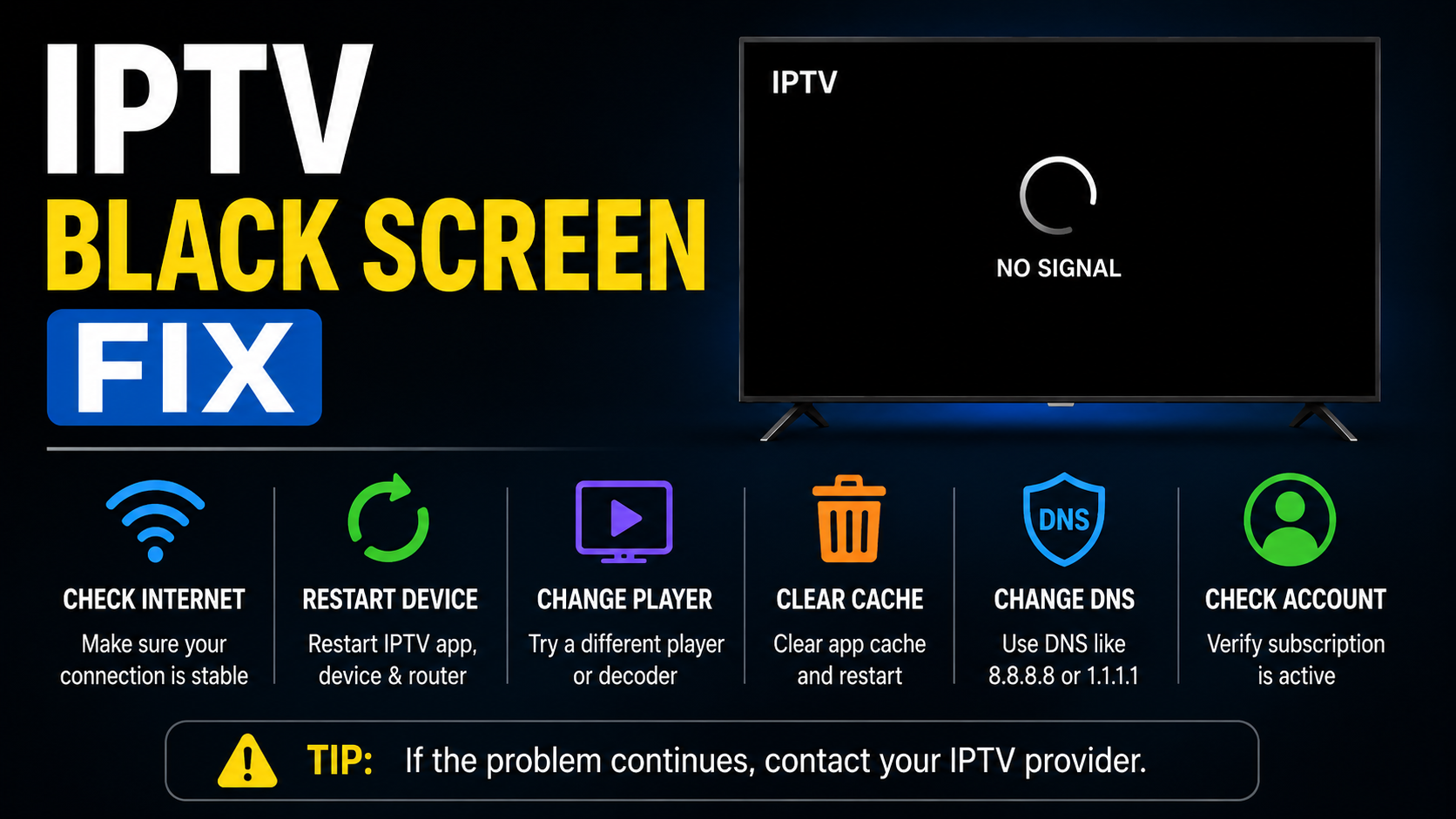
The fastest way to fix an IPTV black screen is to check the subscription line’s expiry date first, that single check resolves roughly 80% of cases before you ever touch DNS settings, app cache, or device configuration. Once that’s ruled out, the cause almost always narrows down to one of four things: server overload, ISP-level DNS blocking, a device-specific fault, or a failed stream handshake. This guide walks through each in the order you should actually check them.
Staring at a black screen when you’ve just loaded your IPTV app isn’t a mystery, it’s a symptom. And like any symptom, jumping straight to random fixes without understanding the cause wastes time and loses customers. This IPTV black screen fix guide doesn’t recycle the same “restart your router” advice you’ve read a hundred times. It’s built from years of running UK IPTV reseller panel, fielding panicked messages at 2 AM, and diagnosing faults across thousands of active lines.
Whether you’re a subscriber trying to watch the evening football or a reseller with twenty customers blowing up your inbox simultaneously, this article walks you through the actual diagnostic ladder, the same one operators use behind the scenes before they ever touch a setting.
The Number One Cause Behind Every IPTV Black Screen Fix Call
Here’s something almost no troubleshooting guide will lead with: the most common reason for a black screen is an expired subscription line. Not buffering. Not a server crash. Not your internet connection. Just an expired line that nobody checked.
It sounds almost too simple, but when you manage hundreds of active subscriptions, lines expire silently. The customer doesn’t get a polite notification, they get a black screen and assume something is broken.
Pro Tip: Before you touch any setting, any DNS config, any app cache, check the line expiry date on your panel. Eighty percent of IPTV black screen fix requests resolve right here.
For subscribers, this means contacting your provider and asking them to verify your line status. For UK IPTV resellers, build a habit of checking expiry dates before responding to any complaint. It saves you fifteen minutes of unnecessary troubleshooting every single time.
Why Server Load Produces a Different Kind of Black Screen
When multiple customers report a black screen simultaneously, the expired-line theory doesn’t hold. That’s a server-side issue, and server load is where your diagnostic process should begin.
Overloaded servers don’t always crash dramatically. Sometimes they just stop delivering streams to the newest connections while keeping older ones alive. The result? Some users watch fine. Others get a black screen. The reseller panics because they can’t see a pattern.
What to check first:
- Current active connections versus server capacity
- Whether the issue is isolated to one server or spread across multiple nodes
- Time of day, peak hours (evenings, weekends, major sporting events) are prime overload windows
- Whether your provider has load balancing across backup uplink servers
If your provider runs a single-server setup with no failover, this IPTV black screen fix is beyond your control as a reseller. It’s an infrastructure problem, and it’s the reason why cheap panels cost you more in churn than you save in credits.
DNS Poisoning and ISP Interference: The Fix Nobody Talks About
You’ve checked the line. The server’s fine. Capacity looks normal. But your customer still has a black screen. This is where most guides go quiet because the real answer is uncomfortable: their ISP might be actively blocking the stream.
DNS poisoning has become a standard enforcement tool in 2026. Major broadband providers intercept DNS queries for known IPTV server domains and redirect them to dead endpoints. Your app connects, authenticates, and then, nothing. Black screen.
The IPTV black screen fix for DNS-related blocking is straightforward once you know what you’re looking at:
| Signal | Likely cause | Action |
|---|---|---|
| Black screen on home Wi-Fi only | ISP DNS poisoning | Switch to third-party DNS (Cloudflare 1.1.1.1 or Google 8.8.8.8) |
| Works on mobile data, fails on broadband | ISP-level blocking | Use a reliable VPN or change DNS at router level |
| Intermittent black screens at random | Partial DNS filtering | Flush DNS cache, configure DNS-over-HTTPS |
| All channels down, app loads fine | Server-side DNS record change | Contact your provider for updated server URLs |
Pro Tip: If a customer tells you “it was working yesterday and nothing changed,” that’s your cue to suspect DNS poisoning before anything else. ISPs roll out new blocks without warning.
Device-Specific IPTV Black Screen Fix: Why MAG Boxes Cause the Most Grief
Not all devices fail the same way. In years of managing reseller operations, MAG boxes consistently produce more IPTV black screen fix requests than any other hardware.
The reasons stack up quickly. Portal URL misconfigurations are rampant, one wrong character and the box connects but delivers nothing. MAC address authentication fails silently when a line gets reassigned. Firmware that hasn’t been updated in two years struggles with modern HLS stream handshakes.
MAG box black screen checklist:
- Verify the portal URL character by character: trailing spaces and missing “http://” prefixes are common culprits
- Confirm the MAC address registered in the panel matches the box exactly
- Force a firmware update through the internal menu (Settings → Software Update)
- Restart the portal, not just the box, there’s a difference
- Clear the box’s internal cache through the system settings menu
For Firestick and Smart TV users, the IPTV black screen fix is usually simpler, clear app cache, force-stop the IPTV application, and relaunch. These devices handle stream negotiation more gracefully than MAG hardware, but they’re not immune to expired EPG data causing display failures.
Why Panic Is the Costliest Reaction to a Black Screen Report
Here’s an uncomfortable truth for anyone running an IPTV operation. When customers start reporting black screens, most resellers do the worst possible thing: they panic, flood their provider’s support channel, and demand immediate answers without running a single diagnostic step themselves.
This wastes everyone’s time. Your provider is now fielding your panic instead of fixing the actual problem. And your customers are waiting even longer because you added noise to the support queue instead of signal.
The IPTV black screen fix starts with you, the reseller, running through a basic triage before escalating anything:
- Check the customer’s line expiry in your panel
- Test the same channel on your own test line
- Ask the customer to try mobile data instead of Wi-Fi
- Check if multiple customers on the same server are affected
- Only then contact your provider, with specific details, not just “everything is down”
Pro Tip: Create a saved template message for your customers that walks them through basic steps (restart app, check internet, try a different channel). It buys you five minutes of diagnostic time while they feel like they’re being helped.
HLS Latency and Stream Handshake Failures
Sometimes the IPTV black screen fix has nothing to do with lines, servers, or ISPs. The stream itself fails to negotiate properly between the server and the player application.
HLS (HTTP Live Streaming) relies on a handshake process: the app requests a playlist, the server delivers segment URLs, and the player begins downloading chunks in sequence. If any part of this chain times out or returns corrupted data, the player gives up and shows a black screen rather than a buffering icon.
Common HLS-related causes include:
- Overloaded CDN nodes serving stale or incomplete playlists
- Time sync issues between the device and the server (especially on older MAG boxes)
- App-side timeout settings that are too aggressive for the user’s connection speed
- Playlist encryption mismatches when providers rotate their stream keys
For resellers, this is harder to diagnose directly. But if a customer reports a black screen on specific channels while others work fine, it’s almost certainly a stream-level issue rather than an account or server problem.
Panel Credits and Line Management: The Overlooked IPTV Black Screen Fix
Resellers who manage hundreds of lines through a credit-based panel system face a unique version of the black screen problem: accidentally misconfigured lines.
When you’re creating or renewing subscriptions quickly, especially during promotional pushes or peak sales periods, mistakes happen. A line gets assigned the wrong bouquet. A renewal processes but the panel deducts credits without actually extending the expiry date. A customer gets moved to a different server cluster during a backend migration and their old portal settings stop working.
These panel-level errors produce the same IPTV black screen fix requests as a genuine technical fault, but the cause is purely administrative.
Prevention steps:
- Audit your active lines weekly, compare panel records against customer count
- Set up expiry notifications (most modern panels support this) so renewals don’t slip through
- After every bulk operation (renewals, migrations, bouquet changes), spot-check at least five random lines
- Keep a simple spreadsheet log of server assignments if your panel doesn’t track this natively
Pro Tip: The fastest-growing resellers aren’t the ones with the cheapest credits. They’re the ones who lose the fewest customers to avoidable admin errors that look like technical problems.
Cheap Infrastructure vs Premium Infrastructure: What Your Black Screen Is Really Telling You
If you’re a reseller experiencing constant IPTV black screen fix situations that repeat weekly, the issue probably isn’t any single technical fault. It’s your infrastructure tier.
| Factor | Budget infrastructure | Premium infrastructure |
|---|---|---|
| Server uplink | Single source, no redundancy | Multiple backup uplink servers |
| Load balancing | None, all users on one node | Automatic distribution across clusters |
| DNS resilience | Static records, vulnerable to poisoning | Dynamic DNS with anti-blocking rotation |
| Channel recovery | Manual restart required | Auto-restart with failover streams |
| Peak capacity | Degrades during events | Scaled for concurrent high-demand viewing |
| Reseller support | Ticket queue, 12 to 24hr response | Direct line, real-time diagnostics |
The IPTV black screen fix for infrastructure problems isn’t a quick tweak, it’s a provider decision. If your current provider can’t guarantee uptime during a major sporting event without streams dropping, no amount of DNS changes or cache clearing will save you. Your customers churn, and you spend more time troubleshooting than selling.
Documenting a Workflow That Stops Escalation Before It Starts
Every reseller needs a documented IPTV black screen fix workflow, not just for themselves, but for their customers. The resellers who scale successfully are the ones who reduce support tickets through self-service documentation and structured triage.
Your workflow should follow this diagnostic ladder:
Tier 1: Customer self-service (before contacting you). Restart the app. Try a different channel. Switch between Wi-Fi and mobile data. Restart the device completely.
Tier 2: Reseller-level checks (before contacting your provider). Verify line status and expiry. Test the same channel on your own test line. Check if the issue is device-specific or account-wide. Review recent panel changes.
Tier 3: Provider escalation (with data, not panic). Report the specific server, the number of affected users, the time the issue started, and what you’ve already ruled out. This gets you faster resolution than “my customers have black screens, fix it.”
Pro Tip: Resellers who provide their provider with structured fault reports get prioritised. Providers are human, they help the people who help them diagnose faster.
Frequently Asked Questions
What is the fastest IPTV black screen fix I can try right now?
Check your subscription line’s expiry date first. This is the single most overlooked cause, the line expires silently, and the app simply shows a black screen instead of an error message. If the line is active, restart the IPTV app completely (force-stop, not just minimise) and try loading a different channel to isolate whether it’s account-wide or channel-specific.
Can a VPN solve an IPTV black screen caused by ISP blocking?
Yes, if the black screen is caused by DNS poisoning or ISP-level traffic filtering. A VPN encrypts your connection and routes it through a different DNS path, bypassing local blocks. However, a low-quality VPN with slow speeds will introduce buffering, so choose one with servers geographically close to the IPTV provider’s infrastructure.
Why does my MAG box show a black screen when other devices work fine?
MAG boxes rely on portal URL authentication and MAC address binding, which are more fragile than app-based login systems. A single character error in the portal URL, a MAC mismatch in the panel, or outdated firmware that can’t process modern HLS playlists will cause a black screen on the MAG while app-based devices connect without issues.
How do I know if an IPTV black screen is a server problem or a local issue?
Test on mobile data instead of Wi-Fi. If the stream loads on mobile data, your ISP or local network is the problem. If it fails on both, try a different device. If all devices fail, check with your provider, it’s server-side. Narrowing down this way prevents wasted time chasing the wrong fix.
Is it worth switching IPTV providers if I keep getting black screen issues?
Persistent black screen problems that repeat weekly usually indicate infrastructure limitations, single-server setups, no load balancing, and no backup uplink servers. If your provider can’t maintain stability during peak viewing hours after multiple reports, switching to a premium-tier provider will cost more per credit but save you far more in customer churn.
How often should resellers audit their panel lines to prevent black screen complaints?
Weekly audits are the minimum. Check for lines nearing expiry, verify bouquet assignments after bulk operations, and spot-check server allocations. Resellers managing over 200 active lines should consider daily spot-checks during high-growth periods when admin errors spike.
Can outdated EPG data cause an IPTV black screen?
Not typically a full black screen, but corrupted or expired EPG data can cause certain apps to hang on channel load, which visually mimics a black screen. Clearing the app’s EPG cache and forcing a fresh guide reload usually resolves this within seconds.
What DNS settings give the best IPTV black screen fix results?
Cloudflare (1.1.1.1) and Google (8.8.8.8) are the most reliable alternatives to ISP-provided DNS. For stronger protection against DNS poisoning, configure DNS-over-HTTPS at the router level. This encrypts DNS queries so your ISP cannot intercept or redirect them, which is the primary mechanism behind DNS-based IPTV blocks in 2026.
Your IPTV Black Screen Fix Success Checklist
- Verify every line’s expiry status before touching any technical setting
- Build a three-tier diagnostic ladder: customer self-service → reseller checks → provider escalation
- Configure third-party DNS (Cloudflare or Google) at the router level for all test devices
- Audit your panel lines weekly, match active subscriptions against your customer records
- Keep a test line active on at least two device types (one MAG, one app-based) for rapid fault isolation
- Create a saved response template for customers reporting black screens, it buys you diagnostic time
- Document every escalation with specific data: server ID, number of affected users, timestamp, steps already taken
- Evaluate your provider’s infrastructure honestly, if black screens repeat weekly during peak hours, the problem is upstream
- Never escalate to your provider without first testing on your own line, panic without data slows everyone down
- Visit British Seller for operational guides built around real UK IPTV Panel reseller workflows, not recycled blog advice



